# Inventaire

# Gestion des produits

<style id="bkmrk-%3Aroot%7B--ink%3A%2316324f%3B">:root{--ink:#16324f;--brand:#0f5b66;--brand2:#1b7f8f;--panel:#fff;--line:#d9e2ea;--muted:#58687a;--ok:#e7f4ec;--warn:#fff1df;--note:#e8f1fb;}.fd{color:var(--ink);font-family:'Aptos','Segoe UI',sans-serif;line-height:1.7;max-width:960px;margin:0 auto;padding:0 0 48px}.fd .hero{background:linear-gradient(145deg,var(--ink) 0%,var(--brand) 55%,var(--brand2) 100%);color:#fff;padding:36px 40px;border-radius:20px;box-shadow:0 16px 40px rgba(17,54,78,.18);margin-bottom:24px}.fd .eyebrow{display:inline-block;padding:5px 12px;border:1px solid rgba(255,255,255,.3);border-radius:999px;font-size:11px;letter-spacing:.1em;text-transform:uppercase;background:rgba(255,255,255,.1);margin-bottom:14px}.fd h1{font-family:Georgia,serif;font-size:30px;line-height:1.15;margin:0 0 10px}.fd .hero p{margin:0;font-size:15px;color:rgba(255,255,255,.88)}.fd .badges{display:flex;flex-wrap:wrap;gap:8px;margin-top:16px}.fd .badge{padding:5px 11px;border:1px solid rgba(255,255,255,.25);border-radius:999px;font-size:12px;background:rgba(255,255,255,.1)}.fd .sec{background:var(--panel);border:1px solid var(--line);border-radius:16px;padding:20px 24px;margin-bottom:16px;box-shadow:0 4px 14px rgba(19,46,66,.05)}.fd h2{font-family:Georgia,serif;font-size:19px;color:var(--ink);margin:0 0 12px;padding-bottom:8px;border-bottom:2px solid var(--line)}.fd p{margin:0 0 10px}.fd .lead{font-size:15px;color:var(--muted)}.fd table{width:100%;border-collapse:separate;border-spacing:0;border:1px solid var(--line);border-radius:12px;overflow:hidden;margin:10px 0}.fd th{background:linear-gradient(180deg,#153b58,#1c5671);color:#fff;padding:11px 14px;font-size:12px;text-transform:uppercase;text-align:left}.fd td{padding:11px 14px;border-top:1px solid var(--line);font-size:14px;vertical-align:top}.fd tr:nth-child(even) td{background:#fbfdfe}.fd ol.wf{margin:0;padding:0;list-style:none;counter-reset:s}.fd ol.wf li{counter-increment:s;position:relative;padding:4px 0 12px 46px}.fd ol.wf li::before{content:counter(s);position:absolute;left:0;top:2px;width:30px;height:30px;border-radius:9px;background:linear-gradient(145deg,var(--ink),var(--brand2));color:#fff;font-weight:700;font-size:13px;display:flex;align-items:center;justify-content:center;line-height:30px;text-align:center}.fd .callout{border-radius:12px;padding:13px 16px;border:1px solid transparent;margin-bottom:10px}.fd .callout strong{display:block;margin-bottom:4px;font-size:14px}.fd .callout p{margin:0;font-size:14px}.fd .tip{background:var(--ok);border-color:#b9dac4}.fd .warning{background:var(--warn);border-color:#efc98f}.fd .note{background:var(--note);border-color:#c4d5f2}.fd .shot{border:2px dashed #9fb4c2;border-radius:16px;padding:36px 20px;background:repeating-linear-gradient(-45deg,#f5f8fa,#f5f8fa 14px,#edf3f6 14px,#edf3f6 28px);text-align:center;color:#496174}.fd .shot strong{display:block;font-size:14px;margin-bottom:6px;color:var(--ink)}.fd kbd{padding:3px 7px;border-radius:6px;background:#f1f5f8;border:1px solid #c9d7e0;font-size:12px;font-family:Consolas,monospace;color:#24425c}</style></head><body><div class="fd" id="bkmrk-fonxtio-%E2%80%94-inventaire"><div class="hero"><div class="eyebrow">Fonxtio — Inventaire</div># Gérer vos produits

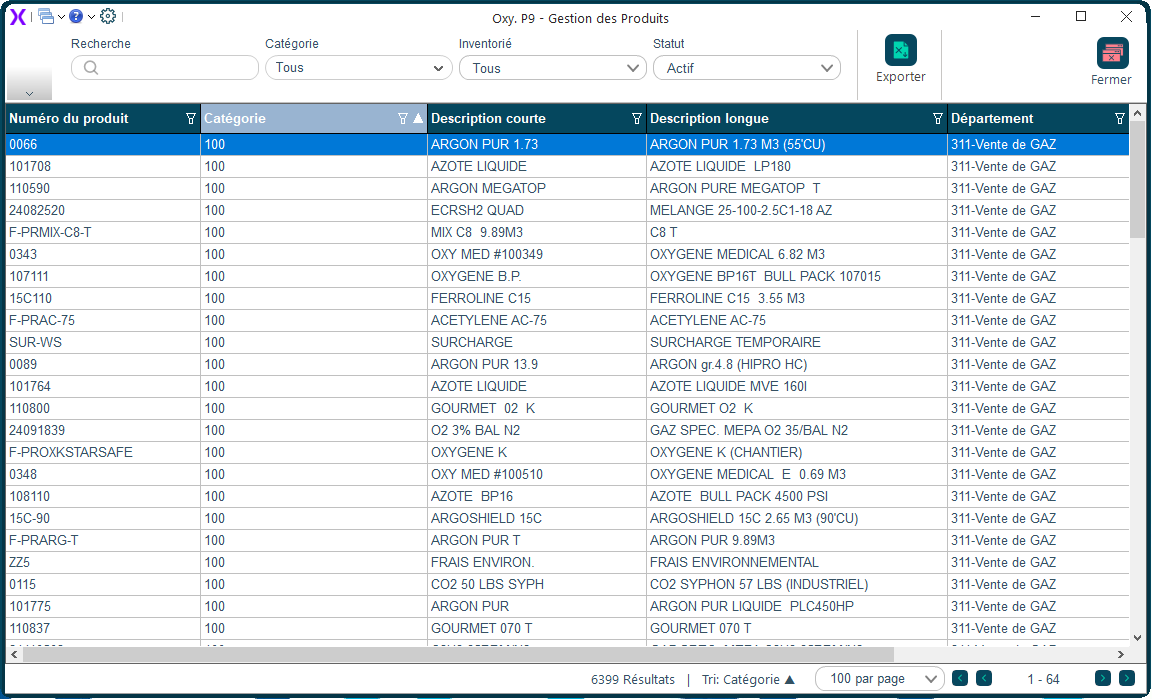
La liste complète de tous vos produits : leurs prix, leurs quantités en stock, et tous les détails nécessaires à la vente et à l'approvisionnement.

<div class="badges"><span class="badge">Inventaire</span><span class="badge">Gestion de l'inventaire</span></div></div><div class="sec">## Comment y accéder ?

Menu principal → <kbd>Inventaire</kbd> → <kbd>Produits</kbd>.

</div><div class="sec">## Comment faire ?

1. Ouvrez <kbd>Inventaire</kbd> puis <kbd>Produits</kbd>.
2. Recherchez un produit par son code ou sa description.
3. Double-cliquez pour ouvrir sa fiche et voir tous ses détails.
4. Pour ajouter un nouveau produit, cliquez sur <kbd>Nouveau</kbd>.

</div><div class="sec">## Aperçu de l'écran

<div class="swiper fd-swiper" id="fdcar1"><div class="swiper-wrapper"><div class="swiper-slide">![Gestion des produits](https://docs.fonxtio.com/uploads/images/gallery/2026-04/gestion-des-produits.png)</div></div></div><script>new Swiper('#fdcar1',{pagination:{el:'#fdcar1 .swiper-pagination',clickable:true},navigation:{nextEl:'#fdcar1 .swiper-button-next',prevEl:'#fdcar1 .swiper-button-prev'}});</script></div><div class="sec"><div class="callout tip">**💡 Bon à savoir**Le code d'un produit ne peut pas être modifié après sa création. Choisissez-le avec soin.

</div></div></div>

# Modifier produit

<style id="bkmrk-%3Aroot%7B--ink%3A%2316324f%3B">:root{--ink:#16324f;--brand:#0f5b66;--brand2:#1b7f8f;--panel:#fff;--line:#d9e2ea;--muted:#58687a;--ok:#e7f4ec;--warn:#fff1df;--note:#e8f1fb;}.fd{color:var(--ink);font-family:'Aptos','Segoe UI',sans-serif;line-height:1.7;max-width:960px;margin:0 auto;padding:0 0 48px}.fd .hero{background:linear-gradient(145deg,var(--ink) 0%,var(--brand) 55%,var(--brand2) 100%);color:#fff;padding:36px 40px;border-radius:20px;box-shadow:0 16px 40px rgba(17,54,78,.18);margin-bottom:24px}.fd .eyebrow{display:inline-block;padding:5px 12px;border:1px solid rgba(255,255,255,.3);border-radius:999px;font-size:11px;letter-spacing:.1em;text-transform:uppercase;background:rgba(255,255,255,.1);margin-bottom:14px}.fd h1{font-family:Georgia,serif;font-size:30px;line-height:1.15;margin:0 0 10px}.fd .hero p{margin:0;font-size:15px;color:rgba(255,255,255,.88)}.fd .badges{display:flex;flex-wrap:wrap;gap:8px;margin-top:16px}.fd .badge{padding:5px 11px;border:1px solid rgba(255,255,255,.25);border-radius:999px;font-size:12px;background:rgba(255,255,255,.1)}.fd .sec{background:var(--panel);border:1px solid var(--line);border-radius:16px;padding:20px 24px;margin-bottom:16px;box-shadow:0 4px 14px rgba(19,46,66,.05)}.fd h2{font-family:Georgia,serif;font-size:19px;color:var(--ink);margin:0 0 12px;padding-bottom:8px;border-bottom:2px solid var(--line)}.fd p{margin:0 0 10px}.fd .lead{font-size:15px;color:var(--muted)}.fd table{width:100%;border-collapse:separate;border-spacing:0;border:1px solid var(--line);border-radius:12px;overflow:hidden;margin:10px 0}.fd th{background:linear-gradient(180deg,#153b58,#1c5671);color:#fff;padding:11px 14px;font-size:12px;text-transform:uppercase;text-align:left}.fd td{padding:11px 14px;border-top:1px solid var(--line);font-size:14px;vertical-align:top}.fd tr:nth-child(even) td{background:#fbfdfe}.fd ol.wf{margin:0;padding:0;list-style:none;counter-reset:s}.fd ol.wf li{counter-increment:s;position:relative;padding:4px 0 12px 46px}.fd ol.wf li::before{content:counter(s);position:absolute;left:0;top:2px;width:30px;height:30px;border-radius:9px;background:linear-gradient(145deg,var(--ink),var(--brand2));color:#fff;font-weight:700;font-size:13px;display:flex;align-items:center;justify-content:center;line-height:30px;text-align:center}.fd .callout{border-radius:12px;padding:13px 16px;border:1px solid transparent;margin-bottom:10px}.fd .callout strong{display:block;margin-bottom:4px;font-size:14px}.fd .callout p{margin:0;font-size:14px}.fd .tip{background:var(--ok);border-color:#b9dac4}.fd .warning{background:var(--warn);border-color:#efc98f}.fd .note{background:var(--note);border-color:#c4d5f2}.fd .shot{border:2px dashed #9fb4c2;border-radius:16px;padding:36px 20px;background:repeating-linear-gradient(-45deg,#f5f8fa,#f5f8fa 14px,#edf3f6 14px,#edf3f6 28px);text-align:center;color:#496174}.fd .shot strong{display:block;font-size:14px;margin-bottom:6px;color:var(--ink)}.fd kbd{padding:3px 7px;border-radius:6px;background:#f1f5f8;border:1px solid #c9d7e0;font-size:12px;font-family:Consolas,monospace;color:#24425c}
/* Conteneur swiper */
.fd-swiper{border-radius:14px;overflow:hidden;margin:10px 0 18px}
.fd-swiper .swiper-slide img{width:100%;height:auto;display:block;max-height:480px;object-fit:contain}

/* Base des boutons */
.fd-swiper .swiper-button-prev,.fd-swiper .swiper-button-next{
  border-radius:50%;width:38px!important;height:38px!important;margin-top:-19px;
  box-shadow:0 4px 14px rgba(17,54,78,.3);
  background-position:center;background-repeat:no-repeat;background-size:20px,100%
}

/* Masquer la flèche SVG par défaut de Swiper */
.fd-swiper .swiper-button-prev::after,
.fd-swiper .swiper-button-next::after{content:""!important;display:none!important;width:0!important;height:0!important;font-size:0!important}
.fd-swiper .swiper-navigation-icon{display:none!important}

/* Bouton Précédent — chevron gauche blanc + fond dégradé */
.fd-swiper .swiper-button-prev{
  background-image:
    url("data:image/svg+xml;base64,PHN2ZyB4bWxucz0iaHR0cDovL3d3dy53My5vcmcvMjAwMC9zdmciIHZpZXdCb3g9IjAgMCAyNCAyNCIgZmlsbD0ibm9uZSI+PHBvbHlsaW5lIHBvaW50cz0iMTUgMTggOSAxMiAxNSA2IiBzdHJva2U9IndoaXRlIiBzdHJva2Utd2lkdGg9IjIuNSIgc3Ryb2tlLWxpbmVjYXA9InJvdW5kIiBzdHJva2UtbGluZWpvaW49InJvdW5kIi8+PC9zdmc+"),
    linear-gradient(145deg,var(--ink),var(--brand2))!important
}

/* Bouton Suivant — chevron droit blanc + fond dégradé */
.fd-swiper .swiper-button-next{
  background-image:
    url("data:image/svg+xml;base64,PHN2ZyB4bWxucz0iaHR0cDovL3d3dy53My5vcmcvMjAwMC9zdmciIHZpZXdCb3g9IjAgMCAyNCAyNCIgZmlsbD0ibm9uZSI+PHBvbHlsaW5lIHBvaW50cz0iOSAxOCAxNSAxMiA5IDYiIHN0cm9rZT0id2hpdGUiIHN0cm9rZS13aWR0aD0iMi41IiBzdHJva2UtbGluZWNhcD0icm91bmQiIHN0cm9rZS1saW5lam9pbj0icm91bmQiLz48L3N2Zz4="),
    linear-gradient(145deg,var(--ink),var(--brand2))!important
}

/* Pagination */
.fd-swiper .swiper-pagination-bullet-active{background:#0f5b66}</style>
<div class="fd" id="bkmrk-fonxtio-%E2%80%94-inventaire">
<div class="hero">
<div class="eyebrow">Fonxtio — Inventaire</div>
<h1 id="bkmrk-modifier-un-produit">Modifier un produit</h1>
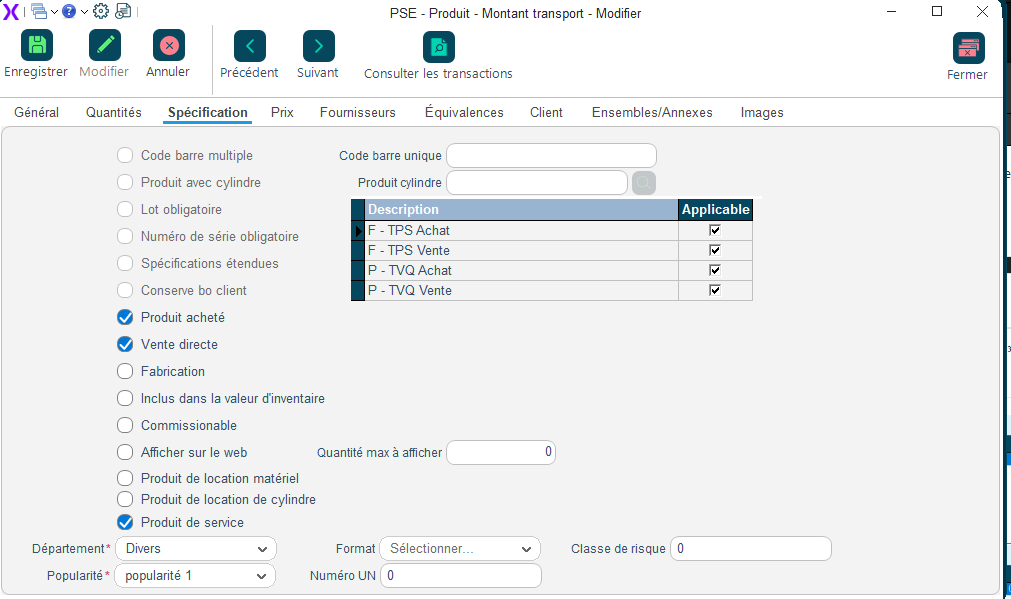
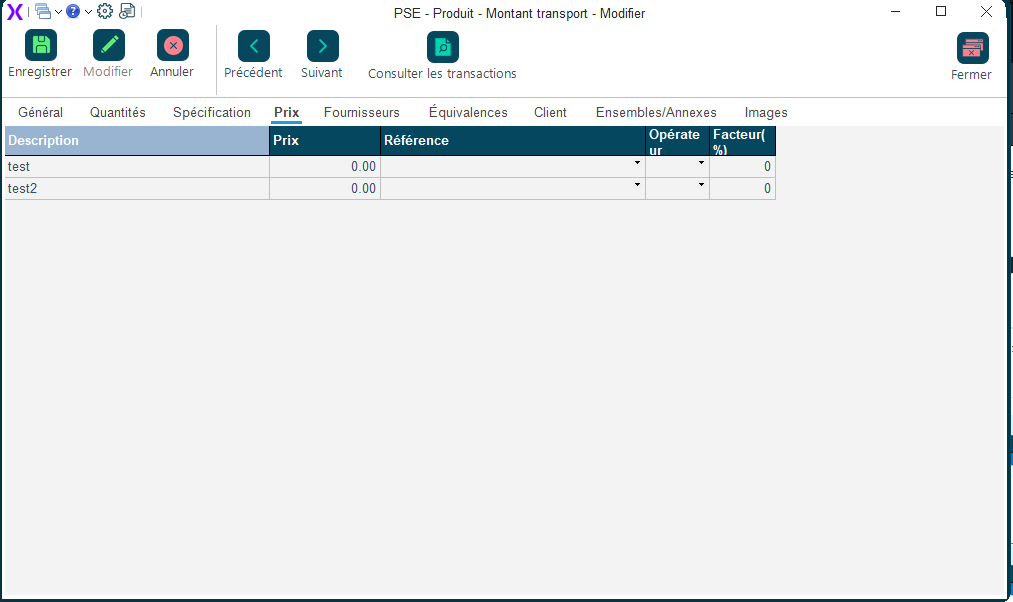
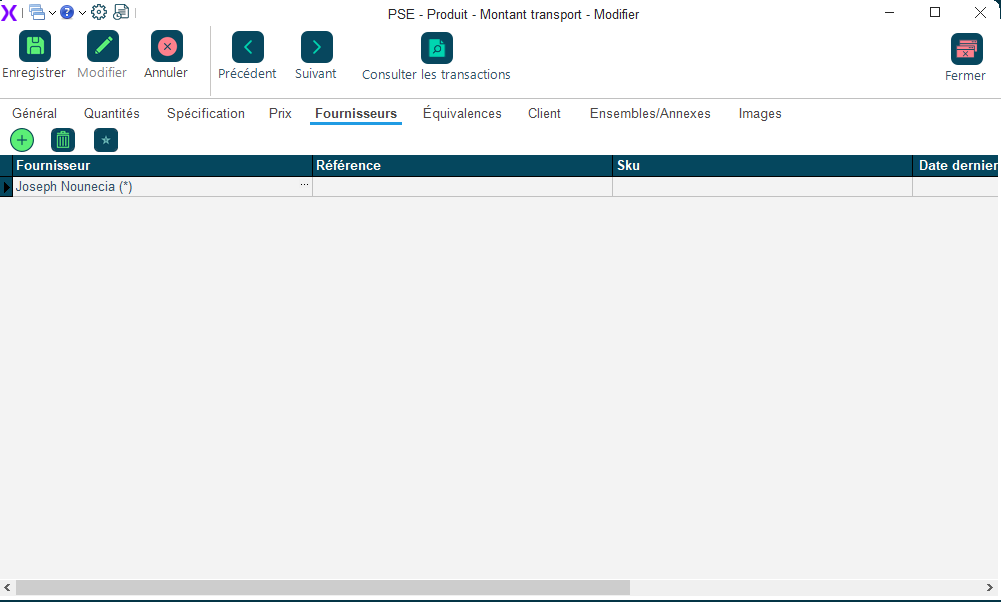
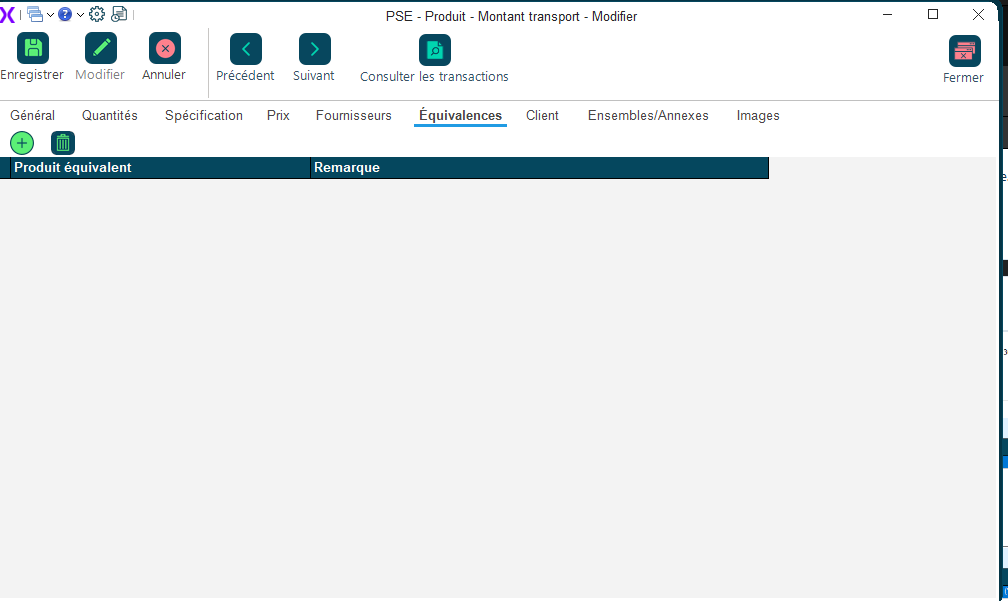
<p>La fiche complète d'un produit avec tous ses détails : description, prix de vente, coût d'achat, taxes applicables, fournisseurs, et emplacements dans l'entrepôt.</p>
<div class="badges"><span class="badge">Inventaire</span><span class="badge">Gestion de l'inventaire</span></div>
</div>
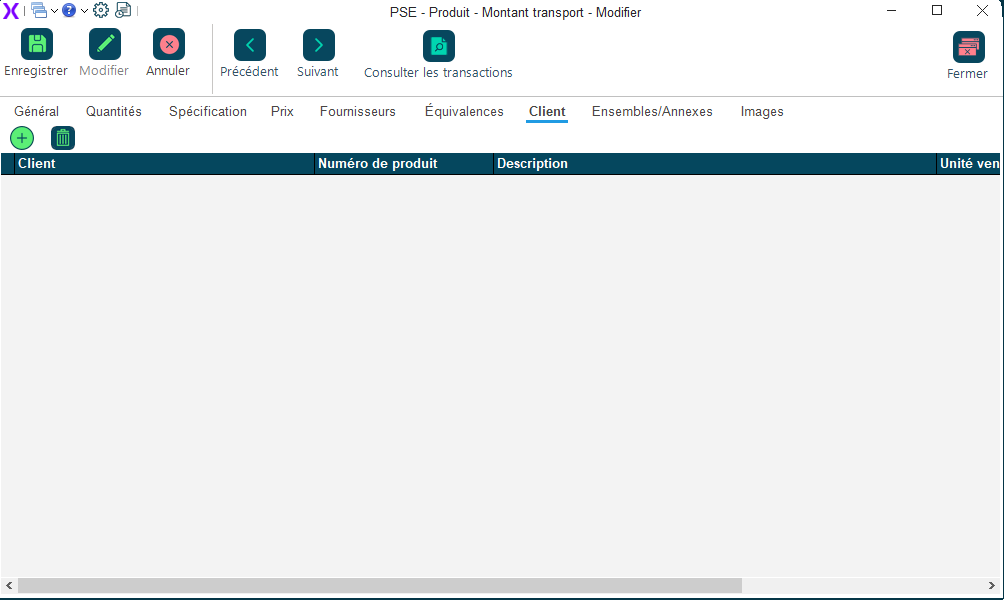
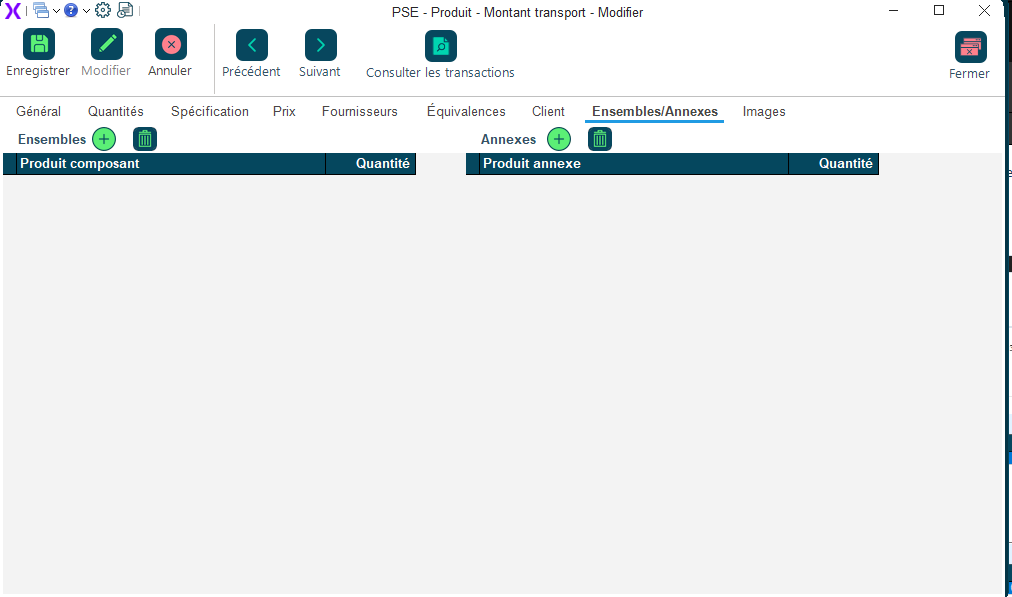
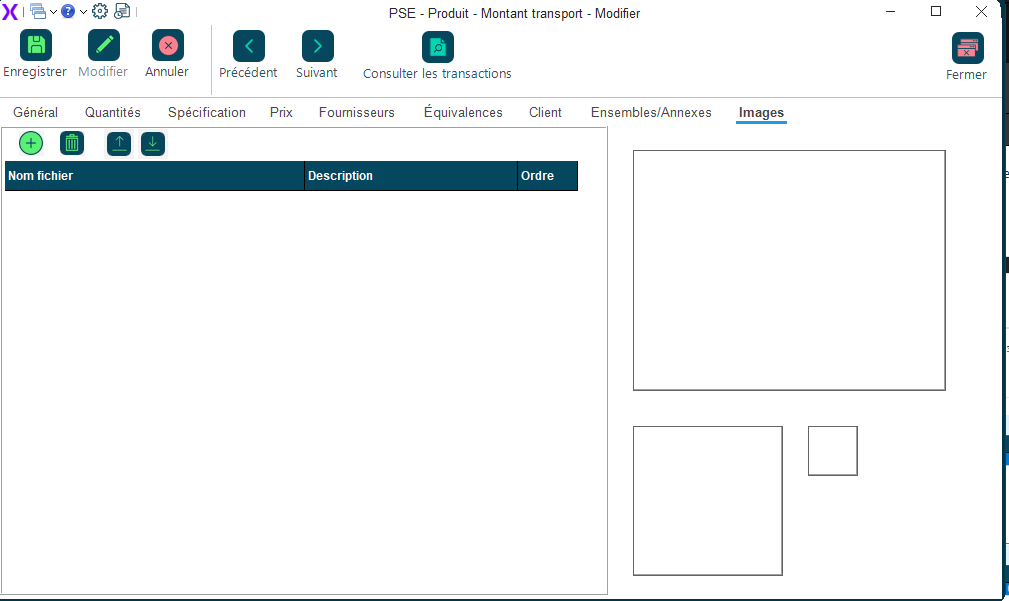
<div class="sec"><h2 id="bkmrk-comment-y-acc%C3%A9der-%3F">Comment y accéder ?</h2><p>Liste des produits → double-cliquez sur un produit, ou cliquez sur <kbd>Nouveau</kbd>.</p></div>
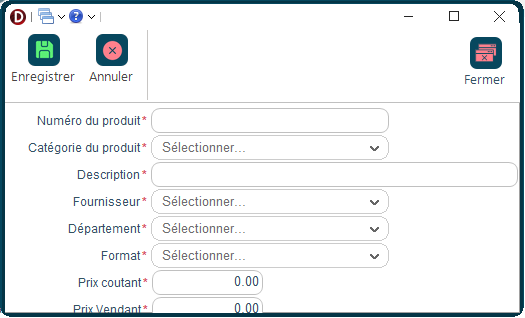
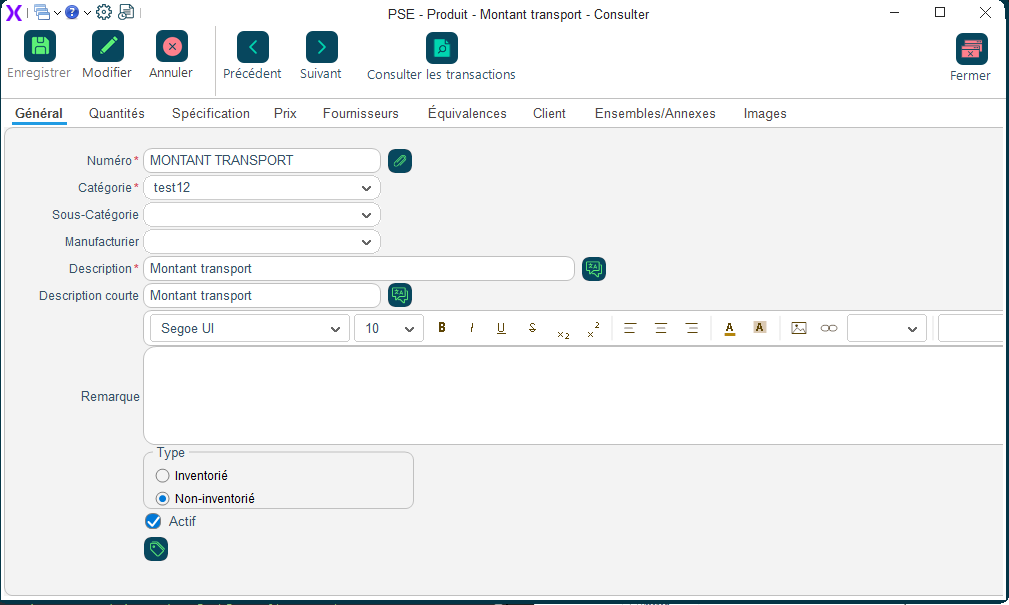
<div class="sec"><h2 id="bkmrk-les-informations-%C3%A0-r">Les informations à remplir</h2><table><thead><tr><th>Champ</th><th>À quoi ça sert ?</th><th>Obligatoire ?</th></tr></thead><tbody><tr><td><strong>Code produit</strong></td><td>Un code unique pour identifier ce produit (ex. : EAU-500)</td><td>Oui</td></tr><tr><td><strong>Description</strong></td><td>Le nom du produit tel qu'il apparaîtra sur les factures</td><td>Oui</td></tr><tr><td><strong>Unité de mesure</strong></td><td>Comment ce produit est vendu (à la pièce, au kg, à la caisse, etc.)</td><td>Oui</td></tr><tr><td><strong>Prix de vente</strong></td><td>Le prix auquel vous vendez ce produit</td><td>Oui</td></tr><tr><td><strong>Taxable</strong></td><td>Ce produit est-il sujet aux taxes (TPS/TVQ) ?</td><td>Oui</td></tr><tr><td><strong>Point de commande</strong></td><td>Quantité minimale en stock avant de commander chez le fournisseur</td><td>Non</td></tr></tbody></table></div>
<div class="sec"><h2 id="bkmrk-comment-faire-%3F">Comment faire ?</h2><ol class="wf"><li>Remplissez le code et la description du produit.</li><li>Indiquez l'unité de mesure et le prix de vente.</li><li>Précisez si ce produit est taxable.</li><li>Ajoutez les fournisseurs dans l'onglet <kbd>Fournisseurs</kbd> si nécessaire.</li><li>Enregistrez.</li></ol></div>
  <div class="sec"><h2>Aperçu de l’écran</h2>
<div class="swiper fd-swiper" id="fdcar1">
  <div class="swiper-wrapper">
    <div class="swiper-slide"><img src="https://docs.fonxtio.com/uploads/images/gallery/2026-04/details-produit-1.png" alt="Détails produit"></div>
    <div class="swiper-slide"><img src="https://docs.fonxtio.com/uploads/images/gallery/2026-04/details-produit-2.png" alt="Détails produit"></div>
    <div class="swiper-slide"><img src="https://docs.fonxtio.com/uploads/images/gallery/2026-04/details-produit-3.png" alt="Détails produit"></div>
    <div class="swiper-slide"><img src="https://docs.fonxtio.com/uploads/images/gallery/2026-04/details-produit-4.png" alt="Détails produit"></div>
    <div class="swiper-slide"><img src="https://docs.fonxtio.com/uploads/images/gallery/2026-04/details-produit-5.png" alt="Détails produit"></div>
    <div class="swiper-slide"><img src="https://docs.fonxtio.com/uploads/images/gallery/2026-04/details-produit-6.png" alt="Détails produit"></div>
      <div class="swiper-slide"><img src="https://docs.fonxtio.com/uploads/images/gallery/2026-04/details-produit-7.png" alt="Détails produit"></div>
      <div class="swiper-slide"><img src="https://docs.fonxtio.com/uploads/images/gallery/2026-04/details-produit-8.png" alt="Détails produit"></div>
      <div class="swiper-slide"><img src="https://docs.fonxtio.com/uploads/images/gallery/2026-04/details-produit-9.png" alt="Détails produit"></div>
  </div>
  <div class="swiper-button-prev"></div>
  <div class="swiper-button-next"></div>
  <div class="swiper-pagination"></div>
</div>
<script>new Swiper('#fdcar1',{pagination:{el:'#fdcar1 .swiper-pagination',clickable:true},navigation:{nextEl:'#fdcar1 .swiper-button-next',prevEl:'#fdcar1 .swiper-button-prev'}});</script>
</div>
</div>
<div class="sec"><div class="callout tip"><strong>💡 Bon à savoir</strong><p>Indiquez un point de commande pour que Fonxtio vous suggère automatiquement de réapprovisionner ce produit quand le stock est bas.</p></div></div>
</div>

# Recherche produit

<style id="bkmrk-%3Aroot%7B--ink%3A%2316324f%3B">:root{--ink:#16324f;--brand:#0f5b66;--brand2:#1b7f8f;--panel:#fff;--line:#d9e2ea;--muted:#58687a;--ok:#e7f4ec;--warn:#fff1df;--note:#e8f1fb;}.fd{color:var(--ink);font-family:'Aptos','Segoe UI',sans-serif;line-height:1.7;max-width:960px;margin:0 auto;padding:0 0 48px}.fd .hero{background:linear-gradient(145deg,var(--ink) 0%,var(--brand) 55%,var(--brand2) 100%);color:#fff;padding:36px 40px;border-radius:20px;box-shadow:0 16px 40px rgba(17,54,78,.18);margin-bottom:24px}.fd .eyebrow{display:inline-block;padding:5px 12px;border:1px solid rgba(255,255,255,.3);border-radius:999px;font-size:11px;letter-spacing:.1em;text-transform:uppercase;background:rgba(255,255,255,.1);margin-bottom:14px}.fd h1{font-family:Georgia,serif;font-size:30px;line-height:1.15;margin:0 0 10px}.fd .hero p{margin:0;font-size:15px;color:rgba(255,255,255,.88)}.fd .badges{display:flex;flex-wrap:wrap;gap:8px;margin-top:16px}.fd .badge{padding:5px 11px;border:1px solid rgba(255,255,255,.25);border-radius:999px;font-size:12px;background:rgba(255,255,255,.1)}.fd .sec{background:var(--panel);border:1px solid var(--line);border-radius:16px;padding:20px 24px;margin-bottom:16px;box-shadow:0 4px 14px rgba(19,46,66,.05)}.fd h2{font-family:Georgia,serif;font-size:19px;color:var(--ink);margin:0 0 12px;padding-bottom:8px;border-bottom:2px solid var(--line)}.fd p{margin:0 0 10px}.fd .lead{font-size:15px;color:var(--muted)}.fd table{width:100%;border-collapse:separate;border-spacing:0;border:1px solid var(--line);border-radius:12px;overflow:hidden;margin:10px 0}.fd th{background:linear-gradient(180deg,#153b58,#1c5671);color:#fff;padding:11px 14px;font-size:12px;text-transform:uppercase;text-align:left}.fd td{padding:11px 14px;border-top:1px solid var(--line);font-size:14px;vertical-align:top}.fd tr:nth-child(even) td{background:#fbfdfe}.fd ol.wf{margin:0;padding:0;list-style:none;counter-reset:s}.fd ol.wf li{counter-increment:s;position:relative;padding:4px 0 12px 46px}.fd ol.wf li::before{content:counter(s);position:absolute;left:0;top:2px;width:30px;height:30px;border-radius:9px;background:linear-gradient(145deg,var(--ink),var(--brand2));color:#fff;font-weight:700;font-size:13px;display:flex;align-items:center;justify-content:center;line-height:30px;text-align:center}.fd .callout{border-radius:12px;padding:13px 16px;border:1px solid transparent;margin-bottom:10px}.fd .callout strong{display:block;margin-bottom:4px;font-size:14px}.fd .callout p{margin:0;font-size:14px}.fd .tip{background:var(--ok);border-color:#b9dac4}.fd .warning{background:var(--warn);border-color:#efc98f}.fd .note{background:var(--note);border-color:#c4d5f2}.fd .shot{border:2px dashed #9fb4c2;border-radius:16px;padding:36px 20px;background:repeating-linear-gradient(-45deg,#f5f8fa,#f5f8fa 14px,#edf3f6 14px,#edf3f6 28px);text-align:center;color:#496174}.fd .shot strong{display:block;font-size:14px;margin-bottom:6px;color:var(--ink)}.fd kbd{padding:3px 7px;border-radius:6px;background:#f1f5f8;border:1px solid #c9d7e0;font-size:12px;font-family:Consolas,monospace;color:#24425c}</style></head><body><div class="fd" id="bkmrk-fonxtio-%E2%80%94-inventaire"><div class="hero"><div class="eyebrow">Fonxtio — Inventaire</div># Rechercher un produit

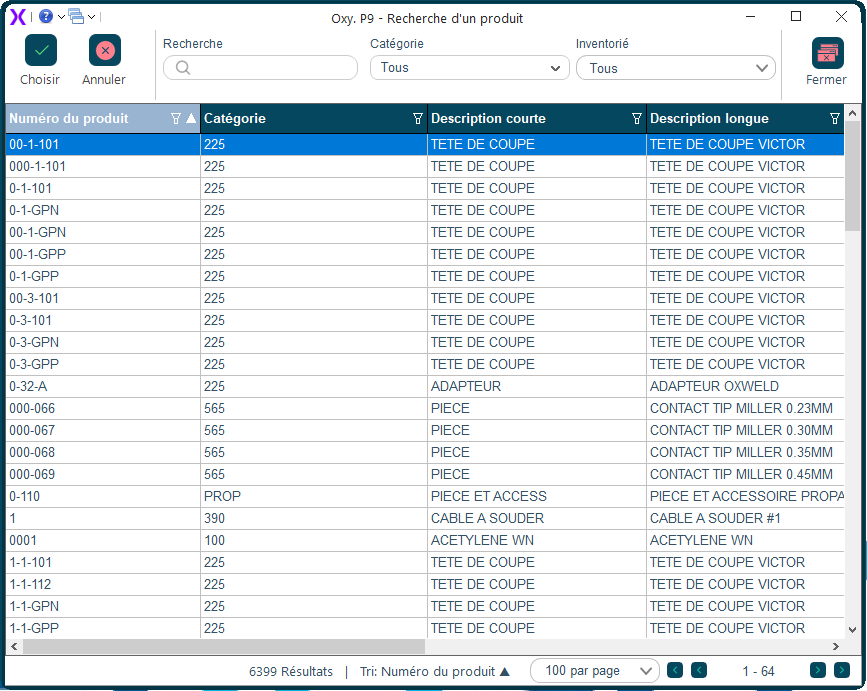
Fenêtre de recherche rapide pour trouver et sélectionner un produit lors d'une commande, une facture ou un ajustement de stock.

<div class="badges"><span class="badge">Inventaire</span><span class="badge">Tous les utilisateurs</span></div></div><div class="sec">## Comment y accéder ?

S'ouvre en cliquant sur <kbd>...</kbd> dans un champ produit, ou en appuyant sur <kbd>F3</kbd>.

</div><div class="sec">## Comment faire ?

1. Tapez le code, le nom ou le code-barres du produit.
2. La liste se filtre en temps réel.
3. Double-cliquez sur le produit pour le sélectionner.

</div><div class="sec">## Aperçu de l'écran

<div class="swiper fd-swiper" id="fdcar1"><div class="swiper-wrapper"><div class="swiper-slide">![Recherche produit](https://docs.fonxtio.com/uploads/images/gallery/2026-04/recherche-produit.png)</div></div></div><script>new Swiper('#fdcar1',{pagination:{el:'#fdcar1 .swiper-pagination',clickable:true},navigation:{nextEl:'#fdcar1 .swiper-button-next',prevEl:'#fdcar1 .swiper-button-prev'}});</script></div><div class="sec"><div class="callout tip">**💡 Bon à savoir**Vous pouvez scanner un code-barres directement dans le champ de recherche.

</div></div></div>

# Mouvements inventaire

<style id="bkmrk-%3Aroot%7B--ink%3A%2316324f%3B">:root{--ink:#16324f;--brand:#0f5b66;--brand2:#1b7f8f;--panel:#fff;--line:#d9e2ea;--muted:#58687a;--ok:#e7f4ec;--warn:#fff1df;--note:#e8f1fb;}.fd{color:var(--ink);font-family:'Aptos','Segoe UI',sans-serif;line-height:1.7;max-width:960px;margin:0 auto;padding:0 0 48px}.fd .hero{background:linear-gradient(145deg,var(--ink) 0%,var(--brand) 55%,var(--brand2) 100%);color:#fff;padding:36px 40px;border-radius:20px;box-shadow:0 16px 40px rgba(17,54,78,.18);margin-bottom:24px}.fd .eyebrow{display:inline-block;padding:5px 12px;border:1px solid rgba(255,255,255,.3);border-radius:999px;font-size:11px;letter-spacing:.1em;text-transform:uppercase;background:rgba(255,255,255,.1);margin-bottom:14px}.fd h1{font-family:Georgia,serif;font-size:30px;line-height:1.15;margin:0 0 10px}.fd .hero p{margin:0;font-size:15px;color:rgba(255,255,255,.88)}.fd .badges{display:flex;flex-wrap:wrap;gap:8px;margin-top:16px}.fd .badge{padding:5px 11px;border:1px solid rgba(255,255,255,.25);border-radius:999px;font-size:12px;background:rgba(255,255,255,.1)}.fd .sec{background:var(--panel);border:1px solid var(--line);border-radius:16px;padding:20px 24px;margin-bottom:16px;box-shadow:0 4px 14px rgba(19,46,66,.05)}.fd h2{font-family:Georgia,serif;font-size:19px;color:var(--ink);margin:0 0 12px;padding-bottom:8px;border-bottom:2px solid var(--line)}.fd p{margin:0 0 10px}.fd .lead{font-size:15px;color:var(--muted)}.fd table{width:100%;border-collapse:separate;border-spacing:0;border:1px solid var(--line);border-radius:12px;overflow:hidden;margin:10px 0}.fd th{background:linear-gradient(180deg,#153b58,#1c5671);color:#fff;padding:11px 14px;font-size:12px;text-transform:uppercase;text-align:left}.fd td{padding:11px 14px;border-top:1px solid var(--line);font-size:14px;vertical-align:top}.fd tr:nth-child(even) td{background:#fbfdfe}.fd ol.wf{margin:0;padding:0;list-style:none;counter-reset:s}.fd ol.wf li{counter-increment:s;position:relative;padding:4px 0 12px 46px}.fd ol.wf li::before{content:counter(s);position:absolute;left:0;top:2px;width:30px;height:30px;border-radius:9px;background:linear-gradient(145deg,var(--ink),var(--brand2));color:#fff;font-weight:700;font-size:13px;display:flex;align-items:center;justify-content:center;line-height:30px;text-align:center}.fd .callout{border-radius:12px;padding:13px 16px;border:1px solid transparent;margin-bottom:10px}.fd .callout strong{display:block;margin-bottom:4px;font-size:14px}.fd .callout p{margin:0;font-size:14px}.fd .tip{background:var(--ok);border-color:#b9dac4}.fd .warning{background:var(--warn);border-color:#efc98f}.fd .note{background:var(--note);border-color:#c4d5f2}.fd .shot{border:2px dashed #9fb4c2;border-radius:16px;padding:36px 20px;background:repeating-linear-gradient(-45deg,#f5f8fa,#f5f8fa 14px,#edf3f6 14px,#edf3f6 28px);text-align:center;color:#496174}.fd .shot strong{display:block;font-size:14px;margin-bottom:6px;color:var(--ink)}.fd kbd{padding:3px 7px;border-radius:6px;background:#f1f5f8;border:1px solid #c9d7e0;font-size:12px;font-family:Consolas,monospace;color:#24425c}</style></head><body><div class="fd" id="bkmrk-fonxtio-%E2%80%94-inventaire"><div class="hero"><div class="eyebrow">Fonxtio — Inventaire</div># Historique des mouvements de stock

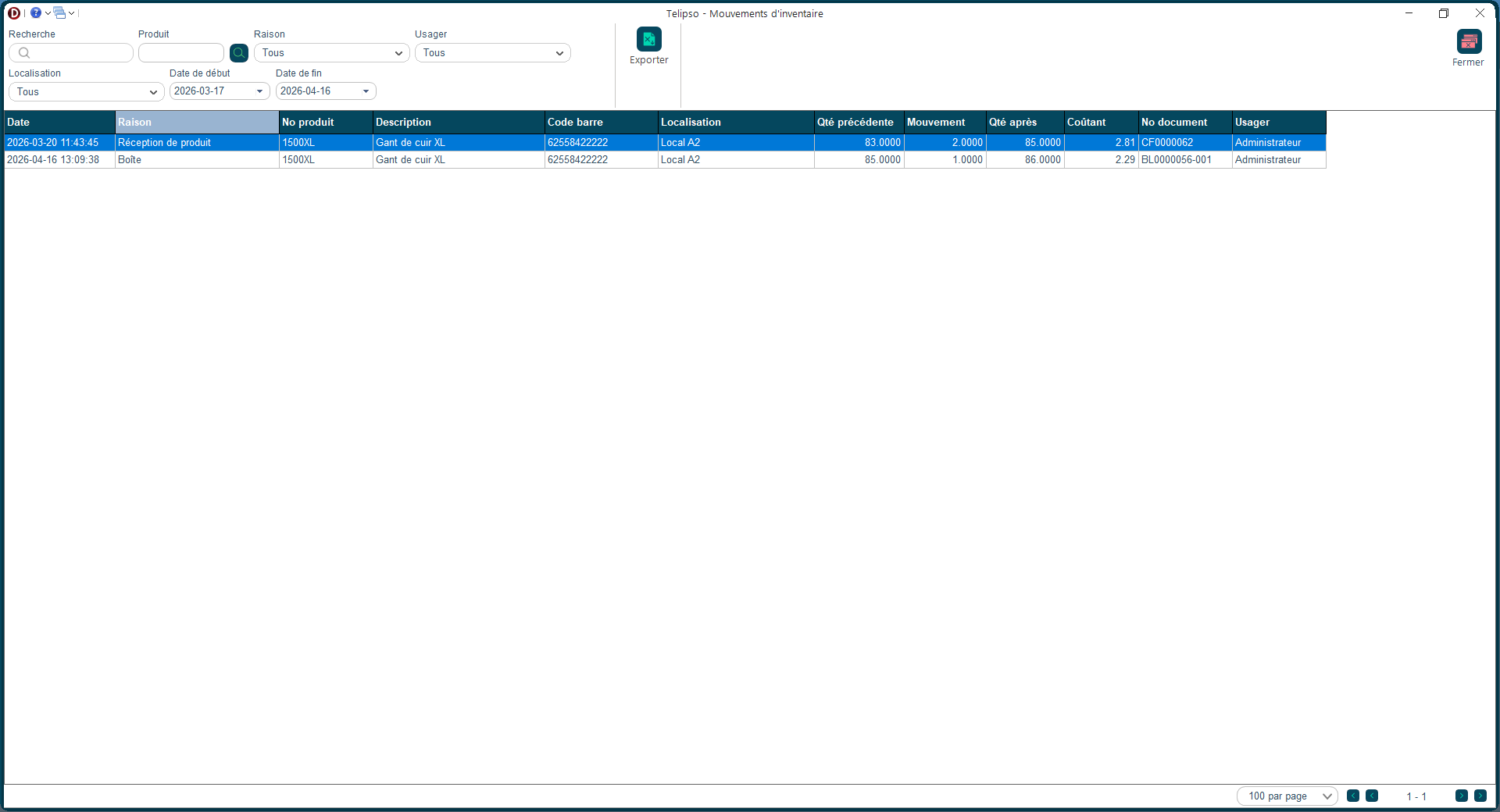
Consultez l'historique complet de tout ce qui est entré et sorti de votre inventaire : les ventes, les achats reçus, les transferts et les ajustements manuels.

<div class="badges"><span class="badge">Inventaire</span><span class="badge">Gestion de l'inventaire</span></div></div><div class="sec">## Comment y accéder ?

Menu <kbd>Inventaire</kbd> → <kbd>Mouvements</kbd>.

</div><div class="sec">## Les informations à remplir

<table><thead><tr><th>Champ</th><th>À quoi ça sert ?</th><th>Obligatoire ?</th></tr></thead><tbody><tr><td>**Date**</td><td>La date du mouvement</td><td>—</td></tr><tr><td>**Type**</td><td>Vente, Achat, Transfert, Ajustement, Retour</td><td>—</td></tr><tr><td>**Produit**</td><td>Le produit concerné</td><td>—</td></tr><tr><td>**Quantité**</td><td>+ pour une entrée, − pour une sortie</td><td>—</td></tr><tr><td>**Référence**</td><td>Le numéro de la commande ou facture à l'origine du mouvement</td><td>—</td></tr></tbody></table>

</div><div class="sec">## Comment faire ?

1. Choisissez un produit et une période pour filtrer.
2. Consultez la liste des mouvements.
3. Cliquez sur une ligne pour voir les détails.

</div><div class="sec">## Aperçu de l'écran

<div class="swiper fd-swiper" id="fdcar1"><div class="swiper-wrapper"><div class="swiper-slide">![Mouvements inventaire](https://docs.fonxtio.com/uploads/images/gallery/2026-04/mouvements-inventaire.png)</div></div></div><script>new Swiper('#fdcar1',{pagination:{el:'#fdcar1 .swiper-pagination',clickable:true},navigation:{nextEl:'#fdcar1 .swiper-button-next',prevEl:'#fdcar1 .swiper-button-prev'}});</script></div><div class="sec"><div class="callout tip">**💡 Bon à savoir**Si vous cherchez pourquoi une quantité a changé, filtrez par produit et remontez dans l'historique — chaque mouvement est traçable.

</div></div></div>

# Prise inventaire

<style id="bkmrk-%3Aroot%7B--ink%3A%2316324f%3B">:root{--ink:#16324f;--brand:#0f5b66;--brand2:#1b7f8f;--panel:#fff;--line:#d9e2ea;--muted:#58687a;--ok:#e7f4ec;--warn:#fff1df;--note:#e8f1fb;}.fd{color:var(--ink);font-family:'Aptos','Segoe UI',sans-serif;line-height:1.7;max-width:960px;margin:0 auto;padding:0 0 48px}.fd .hero{background:linear-gradient(145deg,var(--ink) 0%,var(--brand) 55%,var(--brand2) 100%);color:#fff;padding:36px 40px;border-radius:20px;box-shadow:0 16px 40px rgba(17,54,78,.18);margin-bottom:24px}.fd .eyebrow{display:inline-block;padding:5px 12px;border:1px solid rgba(255,255,255,.3);border-radius:999px;font-size:11px;letter-spacing:.1em;text-transform:uppercase;background:rgba(255,255,255,.1);margin-bottom:14px}.fd h1{font-family:Georgia,serif;font-size:30px;line-height:1.15;margin:0 0 10px}.fd .hero p{margin:0;font-size:15px;color:rgba(255,255,255,.88)}.fd .badges{display:flex;flex-wrap:wrap;gap:8px;margin-top:16px}.fd .badge{padding:5px 11px;border:1px solid rgba(255,255,255,.25);border-radius:999px;font-size:12px;background:rgba(255,255,255,.1)}.fd .sec{background:var(--panel);border:1px solid var(--line);border-radius:16px;padding:20px 24px;margin-bottom:16px;box-shadow:0 4px 14px rgba(19,46,66,.05)}.fd h2{font-family:Georgia,serif;font-size:19px;color:var(--ink);margin:0 0 12px;padding-bottom:8px;border-bottom:2px solid var(--line)}.fd p{margin:0 0 10px}.fd .lead{font-size:15px;color:var(--muted)}.fd table{width:100%;border-collapse:separate;border-spacing:0;border:1px solid var(--line);border-radius:12px;overflow:hidden;margin:10px 0}.fd th{background:linear-gradient(180deg,#153b58,#1c5671);color:#fff;padding:11px 14px;font-size:12px;text-transform:uppercase;text-align:left}.fd td{padding:11px 14px;border-top:1px solid var(--line);font-size:14px;vertical-align:top}.fd tr:nth-child(even) td{background:#fbfdfe}.fd ol.wf{margin:0;padding:0;list-style:none;counter-reset:s}.fd ol.wf li{counter-increment:s;position:relative;padding:4px 0 12px 46px}.fd ol.wf li::before{content:counter(s);position:absolute;left:0;top:2px;width:30px;height:30px;border-radius:9px;background:linear-gradient(145deg,var(--ink),var(--brand2));color:#fff;font-weight:700;font-size:13px;display:flex;align-items:center;justify-content:center;line-height:30px;text-align:center}.fd .callout{border-radius:12px;padding:13px 16px;border:1px solid transparent;margin-bottom:10px}.fd .callout strong{display:block;margin-bottom:4px;font-size:14px}.fd .callout p{margin:0;font-size:14px}.fd .tip{background:var(--ok);border-color:#b9dac4}.fd .warning{background:var(--warn);border-color:#efc98f}.fd .note{background:var(--note);border-color:#c4d5f2}.fd .shot{border:2px dashed #9fb4c2;border-radius:16px;padding:36px 20px;background:repeating-linear-gradient(-45deg,#f5f8fa,#f5f8fa 14px,#edf3f6 14px,#edf3f6 28px);text-align:center;color:#496174}.fd .shot strong{display:block;font-size:14px;margin-bottom:6px;color:var(--ink)}.fd kbd{padding:3px 7px;border-radius:6px;background:#f1f5f8;border:1px solid #c9d7e0;font-size:12px;font-family:Consolas,monospace;color:#24425c}</style></head><body><div class="fd" id="bkmrk-fonxtio-%E2%80%94-inventaire"><div class="hero"><div class="eyebrow">Fonxtio — Inventaire</div># Faire un inventaire physique

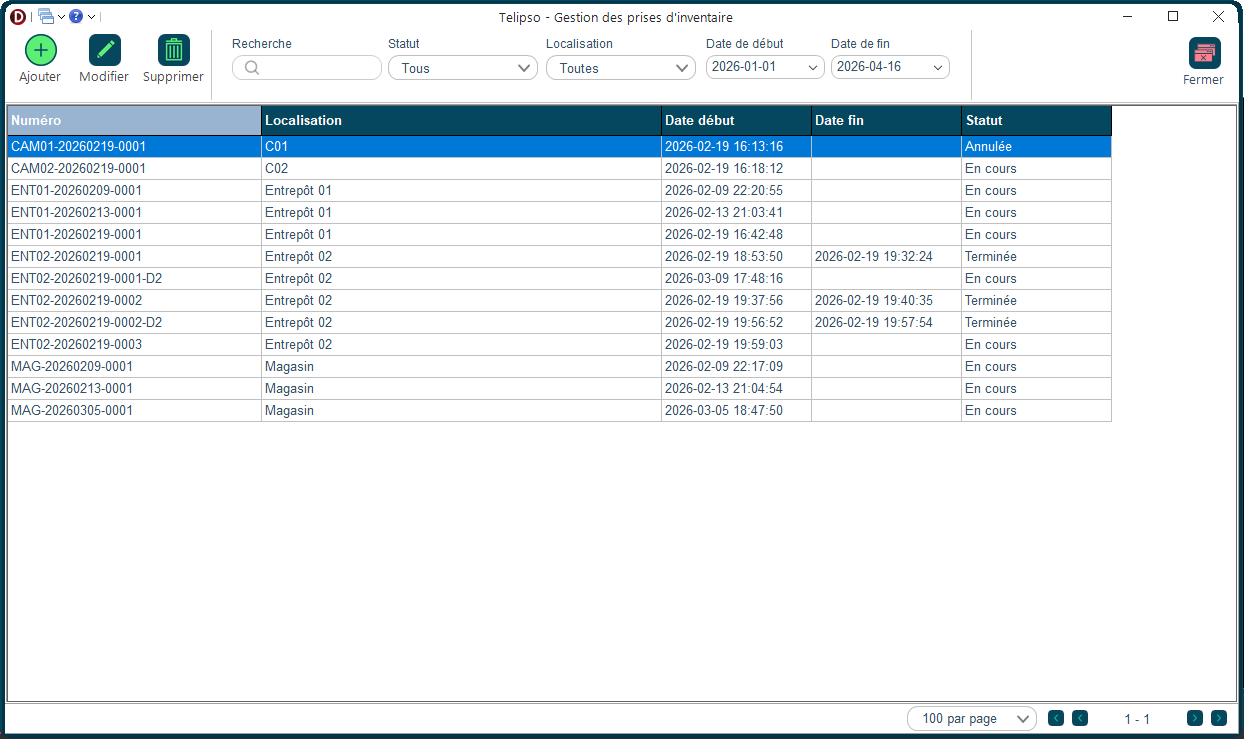
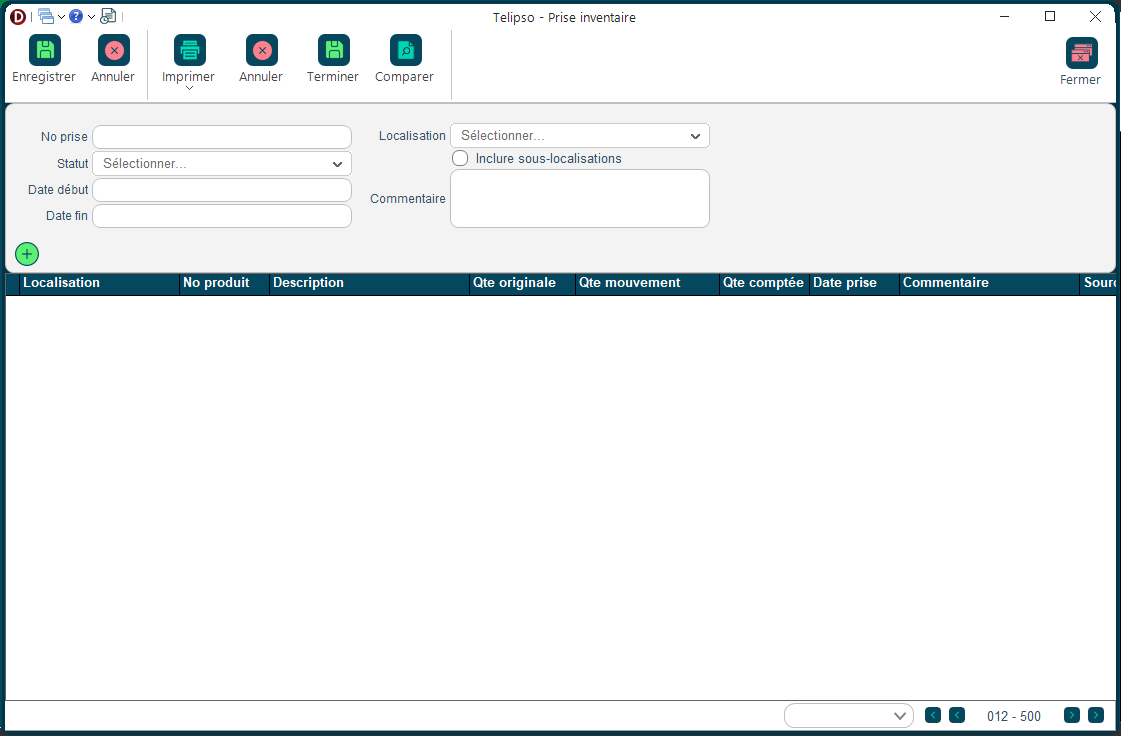
Comparez ce que vous avez réellement en stock avec ce que le système affiche. Cet écran vous permet de démarrer une session de comptage et d'enregistrer ce que vous avez compté.

<div class="badges"><span class="badge">Inventaire</span><span class="badge">Gestion de l'inventaire</span></div></div><div class="sec">## Comment y accéder ?

Menu <kbd>Inventaire</kbd> → <kbd>Prise d'inventaire</kbd>.

</div><div class="sec">## Comment faire ?

1. Cliquez sur <kbd>Nouvelle prise d'inventaire</kbd>.
2. Donnez un nom à cette session (ex. : Inventaire annuel 2025).
3. Ajoutez les produits à compter ou importez la liste complète.
4. Une fois le comptage fait, entrez les quantités comptées.
5. Validez pour que le système ajuste automatiquement les écarts.

</div><div class="sec">## Aperçu de l'écran

<div class="swiper fd-swiper" id="fdcar1"><div class="swiper-wrapper"><div class="swiper-slide">![Prise inventaire](https://docs.fonxtio.com/uploads/images/gallery/2026-04/prise-inventaire.png)</div></div></div><script>new Swiper('#fdcar1',{pagination:{el:'#fdcar1 .swiper-pagination',clickable:true},navigation:{nextEl:'#fdcar1 .swiper-button-next',prevEl:'#fdcar1 .swiper-button-prev'}});</script></div><div class="sec"><div class="callout warning">**⚠️ Important**Une fois une prise d'inventaire validée, les corrections sont permanentes. Ne validez qu'après avoir vérifié tous les écarts importants.

</div></div></div>

# Modifier prise inventaire

<style id="bkmrk-%3Aroot%7B--ink%3A%2316324f%3B">:root{--ink:#16324f;--brand:#0f5b66;--brand2:#1b7f8f;--panel:#fff;--line:#d9e2ea;--muted:#58687a;--ok:#e7f4ec;--warn:#fff1df;--note:#e8f1fb;}.fd{color:var(--ink);font-family:'Aptos','Segoe UI',sans-serif;line-height:1.7;max-width:960px;margin:0 auto;padding:0 0 48px}.fd .hero{background:linear-gradient(145deg,var(--ink) 0%,var(--brand) 55%,var(--brand2) 100%);color:#fff;padding:36px 40px;border-radius:20px;box-shadow:0 16px 40px rgba(17,54,78,.18);margin-bottom:24px}.fd .eyebrow{display:inline-block;padding:5px 12px;border:1px solid rgba(255,255,255,.3);border-radius:999px;font-size:11px;letter-spacing:.1em;text-transform:uppercase;background:rgba(255,255,255,.1);margin-bottom:14px}.fd h1{font-family:Georgia,serif;font-size:30px;line-height:1.15;margin:0 0 10px}.fd .hero p{margin:0;font-size:15px;color:rgba(255,255,255,.88)}.fd .badges{display:flex;flex-wrap:wrap;gap:8px;margin-top:16px}.fd .badge{padding:5px 11px;border:1px solid rgba(255,255,255,.25);border-radius:999px;font-size:12px;background:rgba(255,255,255,.1)}.fd .sec{background:var(--panel);border:1px solid var(--line);border-radius:16px;padding:20px 24px;margin-bottom:16px;box-shadow:0 4px 14px rgba(19,46,66,.05)}.fd h2{font-family:Georgia,serif;font-size:19px;color:var(--ink);margin:0 0 12px;padding-bottom:8px;border-bottom:2px solid var(--line)}.fd p{margin:0 0 10px}.fd .lead{font-size:15px;color:var(--muted)}.fd table{width:100%;border-collapse:separate;border-spacing:0;border:1px solid var(--line);border-radius:12px;overflow:hidden;margin:10px 0}.fd th{background:linear-gradient(180deg,#153b58,#1c5671);color:#fff;padding:11px 14px;font-size:12px;text-transform:uppercase;text-align:left}.fd td{padding:11px 14px;border-top:1px solid var(--line);font-size:14px;vertical-align:top}.fd tr:nth-child(even) td{background:#fbfdfe}.fd ol.wf{margin:0;padding:0;list-style:none;counter-reset:s}.fd ol.wf li{counter-increment:s;position:relative;padding:4px 0 12px 46px}.fd ol.wf li::before{content:counter(s);position:absolute;left:0;top:2px;width:30px;height:30px;border-radius:9px;background:linear-gradient(145deg,var(--ink),var(--brand2));color:#fff;font-weight:700;font-size:13px;display:flex;align-items:center;justify-content:center;line-height:30px;text-align:center}.fd .callout{border-radius:12px;padding:13px 16px;border:1px solid transparent;margin-bottom:10px}.fd .callout strong{display:block;margin-bottom:4px;font-size:14px}.fd .callout p{margin:0;font-size:14px}.fd .tip{background:var(--ok);border-color:#b9dac4}.fd .warning{background:var(--warn);border-color:#efc98f}.fd .note{background:var(--note);border-color:#c4d5f2}.fd .shot{border:2px dashed #9fb4c2;border-radius:16px;padding:36px 20px;background:repeating-linear-gradient(-45deg,#f5f8fa,#f5f8fa 14px,#edf3f6 14px,#edf3f6 28px);text-align:center;color:#496174}.fd .shot strong{display:block;font-size:14px;margin-bottom:6px;color:var(--ink)}.fd kbd{padding:3px 7px;border-radius:6px;background:#f1f5f8;border:1px solid #c9d7e0;font-size:12px;font-family:Consolas,monospace;color:#24425c}</style></head><body><div class="fd" id="bkmrk-fonxtio-%E2%80%94-inventaire"><div class="hero"><div class="eyebrow">Fonxtio — Inventaire</div># Saisir les quantités comptées

Pour chaque produit compté physiquement, entrez la quantité que vous avez trouvée. Le système calcule automatiquement la différence avec ce qu'il avait en mémoire.

<div class="badges"><span class="badge">Inventaire</span><span class="badge">Gestion de l'inventaire</span></div></div><div class="sec">## Comment y accéder ?

Liste des prises d'inventaire → double-clic sur une session.

</div><div class="sec">## Les informations à remplir

<table><thead><tr><th>Champ</th><th>À quoi ça sert ?</th><th>Obligatoire ?</th></tr></thead><tbody><tr><td>**Produit**</td><td>Le produit compté</td><td>—</td></tr><tr><td>**Quantité système**</td><td>Ce que le logiciel croyait avoir en stock</td><td>—</td></tr><tr><td>**Quantité comptée**</td><td>Ce que vous avez réellement trouvé</td><td>Oui</td></tr><tr><td>**Écart**</td><td>La différence (calculée automatiquement)</td><td>—</td></tr></tbody></table>

</div><div class="sec">## Comment faire ?

1. Ouvrez la session de prise d'inventaire.
2. Pour chaque produit, entrez la quantité que vous avez comptée.
3. Vérifiez les écarts importants avant de valider.
4. Cliquez sur <kbd>Valider</kbd> pour appliquer les corrections.

</div><div class="sec">## Aperçu de l'écran

<div class="swiper fd-swiper" id="fdcar1"><div class="swiper-wrapper"><div class="swiper-slide">![Modifier prise inventaire](https://docs.fonxtio.com/uploads/images/gallery/2026-04/modifier-prise-inventaire.png)</div></div></div><script>new Swiper('#fdcar1',{pagination:{el:'#fdcar1 .swiper-pagination',clickable:true},navigation:{nextEl:'#fdcar1 .swiper-button-next',prevEl:'#fdcar1 .swiper-button-prev'}});</script></div><div class="sec"><div class="callout tip">**💡 Bon à savoir**Un écart de 0 signifie que tout correspond parfaitement.

</div></div></div>

# Ajustement inventaire

<style id="bkmrk-%3Aroot%7B--ink%3A%2316324f%3B">:root{--ink:#16324f;--brand:#0f5b66;--brand2:#1b7f8f;--panel:#fff;--line:#d9e2ea;--muted:#58687a;--ok:#e7f4ec;--warn:#fff1df;--note:#e8f1fb;}.fd{color:var(--ink);font-family:'Aptos','Segoe UI',sans-serif;line-height:1.7;max-width:960px;margin:0 auto;padding:0 0 48px}.fd .hero{background:linear-gradient(145deg,var(--ink) 0%,var(--brand) 55%,var(--brand2) 100%);color:#fff;padding:36px 40px;border-radius:20px;box-shadow:0 16px 40px rgba(17,54,78,.18);margin-bottom:24px}.fd .eyebrow{display:inline-block;padding:5px 12px;border:1px solid rgba(255,255,255,.3);border-radius:999px;font-size:11px;letter-spacing:.1em;text-transform:uppercase;background:rgba(255,255,255,.1);margin-bottom:14px}.fd h1{font-family:Georgia,serif;font-size:30px;line-height:1.15;margin:0 0 10px}.fd .hero p{margin:0;font-size:15px;color:rgba(255,255,255,.88)}.fd .badges{display:flex;flex-wrap:wrap;gap:8px;margin-top:16px}.fd .badge{padding:5px 11px;border:1px solid rgba(255,255,255,.25);border-radius:999px;font-size:12px;background:rgba(255,255,255,.1)}.fd .sec{background:var(--panel);border:1px solid var(--line);border-radius:16px;padding:20px 24px;margin-bottom:16px;box-shadow:0 4px 14px rgba(19,46,66,.05)}.fd h2{font-family:Georgia,serif;font-size:19px;color:var(--ink);margin:0 0 12px;padding-bottom:8px;border-bottom:2px solid var(--line)}.fd p{margin:0 0 10px}.fd .lead{font-size:15px;color:var(--muted)}.fd table{width:100%;border-collapse:separate;border-spacing:0;border:1px solid var(--line);border-radius:12px;overflow:hidden;margin:10px 0}.fd th{background:linear-gradient(180deg,#153b58,#1c5671);color:#fff;padding:11px 14px;font-size:12px;text-transform:uppercase;text-align:left}.fd td{padding:11px 14px;border-top:1px solid var(--line);font-size:14px;vertical-align:top}.fd tr:nth-child(even) td{background:#fbfdfe}.fd ol.wf{margin:0;padding:0;list-style:none;counter-reset:s}.fd ol.wf li{counter-increment:s;position:relative;padding:4px 0 12px 46px}.fd ol.wf li::before{content:counter(s);position:absolute;left:0;top:2px;width:30px;height:30px;border-radius:9px;background:linear-gradient(145deg,var(--ink),var(--brand2));color:#fff;font-weight:700;font-size:13px;display:flex;align-items:center;justify-content:center;line-height:30px;text-align:center}.fd .callout{border-radius:12px;padding:13px 16px;border:1px solid transparent;margin-bottom:10px}.fd .callout strong{display:block;margin-bottom:4px;font-size:14px}.fd .callout p{margin:0;font-size:14px}.fd .tip{background:var(--ok);border-color:#b9dac4}.fd .warning{background:var(--warn);border-color:#efc98f}.fd .note{background:var(--note);border-color:#c4d5f2}.fd .shot{border:2px dashed #9fb4c2;border-radius:16px;padding:36px 20px;background:repeating-linear-gradient(-45deg,#f5f8fa,#f5f8fa 14px,#edf3f6 14px,#edf3f6 28px);text-align:center;color:#496174}.fd .shot strong{display:block;font-size:14px;margin-bottom:6px;color:var(--ink)}.fd kbd{padding:3px 7px;border-radius:6px;background:#f1f5f8;border:1px solid #c9d7e0;font-size:12px;font-family:Consolas,monospace;color:#24425c}</style></head><body><div class="fd" id="bkmrk-fonxtio-%E2%80%94-inventaire"><div class="hero"><div class="eyebrow">Fonxtio — Inventaire</div># Corriger une quantité en stock

Besoin de corriger rapidement une quantité en stock sans faire un inventaire complet ? Utilisez cet écran pour les petites corrections ponctuelles (un article brisé, perdu, etc.).

<div class="badges"><span class="badge">Inventaire</span><span class="badge">Gestion de l'inventaire</span></div></div><div class="sec">## Comment y accéder ?

Menu <kbd>Inventaire</kbd> → <kbd>Ajustements</kbd>.

</div><div class="sec">## Les informations à remplir

<table><thead><tr><th>Champ</th><th>À quoi ça sert ?</th><th>Obligatoire ?</th></tr></thead><tbody><tr><td>**Produit**</td><td>Le produit à corriger</td><td>Oui</td></tr><tr><td>**Raison**</td><td>Pourquoi vous faites cette correction (bris, vol, erreur de saisie)</td><td>Oui</td></tr><tr><td>**Quantité**</td><td>Entrez un nombre positif pour ajouter du stock, négatif pour en retirer</td><td>Oui</td></tr></tbody></table>

</div><div class="sec">## Comment faire ?

1. Cliquez sur <kbd>Nouvel ajustement</kbd>.
2. Sélectionnez le produit concerné.
3. Choisissez la raison et entrez la quantité à corriger.
4. Enregistrez.

</div><div class="sec">## Aperçu de l'écran

<div class="swiper fd-swiper" id="fdcar1"><div class="swiper-wrapper"><div class="swiper-slide">![Ajustement inventaire](https://docs.fonxtio.com/uploads/images/gallery/2026-04/ajustement-inventaire.png)</div></div></div><script>new Swiper('#fdcar1',{pagination:{el:'#fdcar1 .swiper-pagination',clickable:true},navigation:{nextEl:'#fdcar1 .swiper-button-next',prevEl:'#fdcar1 .swiper-button-prev'}});</script></div><div class="sec"><div class="callout warning">**⚠️ Important**Notez toujours une raison claire — ces corrections sont enregistrées et peuvent être vérifiées lors d'un audit.

</div></div></div>

# Relocaliser camion

<style>:root{--ink:#16324f;--brand:#0f5b66;--brand2:#1b7f8f;--panel:#fff;--line:#d9e2ea;--muted:#58687a;--ok:#e7f4ec;--warn:#fff1df;--note:#e8f1fb;}.fd{color:var(--ink);font-family:’Aptos’,’Segoe UI’,sans-serif;line-height:1.7;max-width:960px;margin:0 auto;padding:0 0 48px}.fd .hero{background:linear-gradient(145deg,var(--ink) 0%,var(--brand) 55%,var(--brand2) 100%);color:#fff;padding:36px 40px;border-radius:20px;box-shadow:0 16px 40px rgba(17,54,78,.18);margin-bottom:24px}.fd .eyebrow{display:inline-block;padding:5px 12px;border:1px solid rgba(255,255,255,.3);border-radius:999px;font-size:11px;letter-spacing:.1em;text-transform:uppercase;background:rgba(255,255,255,.1);margin-bottom:14px}.fd h1{font-family:Georgia,serif;font-size:30px;line-height:1.15;margin:0 0 10px}.fd .hero p{margin:0;font-size:15px;color:rgba(255,255,255,.88)}.fd .badges{display:flex;flex-wrap:wrap;gap:8px;margin-top:16px}.fd .badge{padding:5px 11px;border:1px solid rgba(255,255,255,.25);border-radius:999px;font-size:12px;background:rgba(255,255,255,.1)}.fd .sec{background:var(--panel);border:1px solid var(--line);border-radius:16px;padding:20px 24px;margin-bottom:16px;box-shadow:0 4px 14px rgba(19,46,66,.05)}.fd h2{font-family:Georgia,serif;font-size:19px;color:var(--ink);margin:0 0 12px;padding-bottom:8px;border-bottom:2px solid var(--line)}.fd p{margin:0 0 10px}.fd .lead{font-size:15px;color:var(--muted)}.fd table{width:100%;border-collapse:separate;border-spacing:0;border:1px solid var(--line);border-radius:12px;overflow:hidden;margin:10px 0}.fd th{background:linear-gradient(180deg,#153b58,#1c5671);color:#fff;padding:11px 14px;font-size:12px;text-transform:uppercase;text-align:left}.fd td{padding:11px 14px;border-top:1px solid var(--line);font-size:14px;vertical-align:top}.fd tr:nth-child(even) td{background:#fbfdfe}.fd ol.wf{margin:0;padding:0;list-style:none;counter-reset:s}.fd ol.wf li{counter-increment:s;position:relative;padding:4px 0 12px 46px}.fd ol.wf li::before{content:counter(s);position:absolute;left:0;top:2px;width:30px;height:30px;border-radius:9px;background:linear-gradient(145deg,var(--ink),var(--brand2));color:#fff;font-weight:700;font-size:13px;line-height:30px;text-align:center}.fd .callout{border-radius:12px;padding:13px 16px;border:1px solid transparent;margin-bottom:10px}.fd .callout strong{display:block;margin-bottom:4px;font-size:14px}.fd .callout p{margin:0;font-size:14px}.fd .tip{background:var(--ok);border-color:#b9dac4}.fd .warning{background:var(--warn);border-color:#efc98f}.fd-swiper{border-radius:14px;overflow:hidden;margin:10px 0 18px}.fd-swiper .swiper-slide img{width:100%;height:auto;display:block;max-height:480px;object-fit:contain}.fd-swiper .swiper-button-prev,.fd-swiper .swiper-button-next{border-radius:50%;width:38px!important;height:38px!important;margin-top:-19px;box-shadow:0 4px 14px rgba(17,54,78,.3);background-position:center;background-repeat:no-repeat;background-size:20px,100%}.fd-swiper .swiper-button-prev::after,.fd-swiper .swiper-button-next::after{content:""!important;display:none!important;width:0!important;height:0!important;font-size:0!important}.fd-swiper .swiper-navigation-icon{display:none!important}.fd-swiper .swiper-button-prev{background-image:url("data:image/svg+xml;base64,PHN2ZyB4bWxucz0iaHR0cDovL3d3dy53My5vcmcvMjAwMC9zdmciIHZpZXdCb3g9IjAgMCAyNCAyNCIgZmlsbD0ibm9uZSI+PHBvbHlsaW5lIHBvaW50cz0iMTUgMTggOSAxMiAxNSA2IiBzdHJva2U9IndoaXRlIiBzdHJva2Utd2lkdGg9IjIuNSIgc3Ryb2tlLWxpbmVjYXA9InJvdW5kIiBzdHJva2UtbGluZWpvaW49InJvdW5kIi8+PC9zdmc+"),linear-gradient(145deg,var(--ink),var(--brand2))!important}.fd-swiper .swiper-button-next{background-image:url("data:image/svg+xml;base64,PHN2ZyB4bWxucz0iaHR0cDovL3d3dy53My5vcmcvMjAwMC9zdmciIHZpZXdCb3g9IjAgMCAyNCAyNCIgZmlsbD0ibm9uZSI+PHBvbHlsaW5lIHBvaW50cz0iOSAxOCAxNSAxMiA5IDYiIHN0cm9rZT0id2hpdGUiIHN0cm9rZS13aWR0aD0iMi41IiBzdHJva2UtbGluZWNhcD0icm91bmQiIHN0cm9rZS1saW5lam9pbj0icm91bmQiLz48L3N2Zz4="),linear-gradient(145deg,var(--ink),var(--brand2))!important}.fd-swiper .swiper-pagination-bullet-active{background:#0f5b66}.fd kbd{padding:3px 7px;border-radius:6px;background:#f1f5f8;border:1px solid #c9d7e0;font-size:12px;font-family:Consolas,monospace;color:#24425c}.fd .callout::before{display:none}.fd .callout strong{display:flex;align-items:center;gap:6px}.fd .callout strong::after{background-image:url(data:image/svg+xml;base64,PHN2ZyB2aWV3Qm94PSIwIDAgMjQgMjQiIGZpbGw9IiMwMTUzODAiIHhtbG5zPSJodHRwOi8vd3d3LnczLm9yZy8yMDAwL3N2ZyI+ICAgIDxwYXRoIGQ9Ik0wIDBoMjR2MjRIMHoiIGZpbGw9Im5vbmUiLz4gICAgPHBhdGggZD0iTTEyIDJDNi40OCAyIDIgNi40OCAyIDEyczQuNDggMTAgMTAgMTAgMTAtNC40OCAxMC0xMFMxNy41MiAyIDEyIDJ6bTEgMTVoLTJ2LTZoMnY2em0wLThoLTJWN2gydjJ6Ii8+PC9zdmc+);background-repeat:no-repeat;background-size:contain;content:"";width:1.2em;height:1.2em;display:inline-block;flex-shrink:0}</style>
<div class="fd">
<div class="hero">
<div class="eyebrow">Fonxtio — Outils</div>
<h1>Relocaliser les articles du camion</h1>
<p>Quand le camion de livraison revient avec des produits non livrés, cet écran vous permet de remettre ces articles à leur emplacement dans l’entrepôt. L’inventaire est mis à jour automatiquement.</p>
<div class="badges"><span class="badge">Outils</span><span class="badge">Logistique</span></div>
</div>
<div class="sec"><h2>Comment y accéder ?</h2><p>Menu <kbd>Outils</kbd> → <kbd>Relocaliser les articles du camion</kbd>.</p></div>
<div class="sec"><h2>Les éléments de l’écran</h2><table><thead><tr><th>Élément</th><th>À quoi ça sert</th></tr></thead><tbody><tr><td><strong>Bon de livraison source</strong></td><td>Sélectionner le bon de livraison dont les articles n’ont pas été livrés.</td></tr><tr><td><strong>Produit</strong></td><td>Le produit présent dans le camion.</td></tr><tr><td><strong>Code barre</strong></td><td>Le code barre du produit concerné.</td></tr><tr><td><strong>Quantité dans le camion</strong></td><td>La quantité de ce produit qui se trouve encore dans le camion.</td></tr><tr><td><strong>Quantité à relocaliser</strong></td><td>La quantité que vous souhaitez remettre à l’entrepôt.</td></tr><tr><td><strong>Localisation de destination</strong></td><td>L’emplacement dans l’entrepôt où remettre les articles.</td></tr><tr><td><strong>Enregistrer</strong></td><td>Confirmer la relocalisation et mettre à jour l’inventaire.</td></tr><tr><td><strong>Annuler</strong></td><td>Fermer sans apporter de modification.</td></tr></tbody></table></div>
<div class="sec"><h2>Comment faire ?</h2><ol class="wf"><li>Sélectionnez le bon de livraison du camion qui revient.</li><li>La grille affiche les produits non livrés restants dans le camion.</li><li>Pour chaque produit, indiquez la quantité à relocaliser et l’emplacement de destination.</li><li>Cliquez sur <kbd>Enregistrer</kbd> — l’inventaire est mis à jour.</li></ol></div>
<div class="sec"><h2 id="bkmrk-aper%C3%A7u-de-l%27%C3%A9cran">Aperçu de l'écran</h2><div class="swiper fd-swiper" id="fdcar1"><div class="swiper-wrapper"><div class="swiper-slide"><img src="https://docs.fonxtio.com/uploads/images/gallery/2026-04/relocaliser-camion.png" alt="Relocaliser camion"></div></div></div><script>new Swiper('#fdcar1',{pagination:{el:'#fdcar1 .swiper-pagination',clickable:true},navigation:{nextEl:'#fdcar1 .swiper-button-next',prevEl:'#fdcar1 .swiper-button-prev'}});</script></div>
<div class="sec"><div class="callout tip"><strong>Bon à savoir</strong><p>Effectuez cette opération à chaque retour de livraison pour garder votre inventaire à jour. Un article non relocalisé reste comptabilisé dans le camion.</p></div></div>
</div>

# Relocaliser inventaire

<style id="bkmrk-%3Aroot%7B--ink%3A%2316324f%3B">:root{--ink:#16324f;--brand:#0f5b66;--brand2:#1b7f8f;--panel:#fff;--line:#d9e2ea;--muted:#58687a;--ok:#e7f4ec;--warn:#fff1df;--note:#e8f1fb;}.fd{color:var(--ink);font-family:'Aptos','Segoe UI',sans-serif;line-height:1.7;max-width:960px;margin:0 auto;padding:0 0 48px}.fd .hero{background:linear-gradient(145deg,var(--ink) 0%,var(--brand) 55%,var(--brand2) 100%);color:#fff;padding:36px 40px;border-radius:20px;box-shadow:0 16px 40px rgba(17,54,78,.18);margin-bottom:24px}.fd .eyebrow{display:inline-block;padding:5px 12px;border:1px solid rgba(255,255,255,.3);border-radius:999px;font-size:11px;letter-spacing:.1em;text-transform:uppercase;background:rgba(255,255,255,.1);margin-bottom:14px}.fd h1{font-family:Georgia,serif;font-size:30px;line-height:1.15;margin:0 0 10px}.fd .hero p{margin:0;font-size:15px;color:rgba(255,255,255,.88)}.fd .badges{display:flex;flex-wrap:wrap;gap:8px;margin-top:16px}.fd .badge{padding:5px 11px;border:1px solid rgba(255,255,255,.25);border-radius:999px;font-size:12px;background:rgba(255,255,255,.1)}.fd .sec{background:var(--panel);border:1px solid var(--line);border-radius:16px;padding:20px 24px;margin-bottom:16px;box-shadow:0 4px 14px rgba(19,46,66,.05)}.fd h2{font-family:Georgia,serif;font-size:19px;color:var(--ink);margin:0 0 12px;padding-bottom:8px;border-bottom:2px solid var(--line)}.fd p{margin:0 0 10px}.fd .lead{font-size:15px;color:var(--muted)}.fd table{width:100%;border-collapse:separate;border-spacing:0;border:1px solid var(--line);border-radius:12px;overflow:hidden;margin:10px 0}.fd th{background:linear-gradient(180deg,#153b58,#1c5671);color:#fff;padding:11px 14px;font-size:12px;text-transform:uppercase;text-align:left}.fd td{padding:11px 14px;border-top:1px solid var(--line);font-size:14px;vertical-align:top}.fd tr:nth-child(even) td{background:#fbfdfe}.fd ol.wf{margin:0;padding:0;list-style:none;counter-reset:s}.fd ol.wf li{counter-increment:s;position:relative;padding:4px 0 12px 46px}.fd ol.wf li::before{content:counter(s);position:absolute;left:0;top:2px;width:30px;height:30px;border-radius:9px;background:linear-gradient(145deg,var(--ink),var(--brand2));color:#fff;font-weight:700;font-size:13px;display:flex;align-items:center;justify-content:center;line-height:30px;text-align:center}.fd .callout{border-radius:12px;padding:13px 16px;border:1px solid transparent;margin-bottom:10px}.fd .callout strong{display:block;margin-bottom:4px;font-size:14px}.fd .callout p{margin:0;font-size:14px}.fd .tip{background:var(--ok);border-color:#b9dac4}.fd .warning{background:var(--warn);border-color:#efc98f}.fd .note{background:var(--note);border-color:#c4d5f2}.fd .shot{border:2px dashed #9fb4c2;border-radius:16px;padding:36px 20px;background:repeating-linear-gradient(-45deg,#f5f8fa,#f5f8fa 14px,#edf3f6 14px,#edf3f6 28px);text-align:center;color:#496174}.fd .shot strong{display:block;font-size:14px;margin-bottom:6px;color:var(--ink)}.fd kbd{padding:3px 7px;border-radius:6px;background:#f1f5f8;border:1px solid #c9d7e0;font-size:12px;font-family:Consolas,monospace;color:#24425c}</style></head><body><div class="fd" id="bkmrk-fonxtio-%E2%80%94-inventaire"><div class="hero"><div class="eyebrow">Fonxtio — Inventaire</div># Déplacer des articles dans l'entrepôt

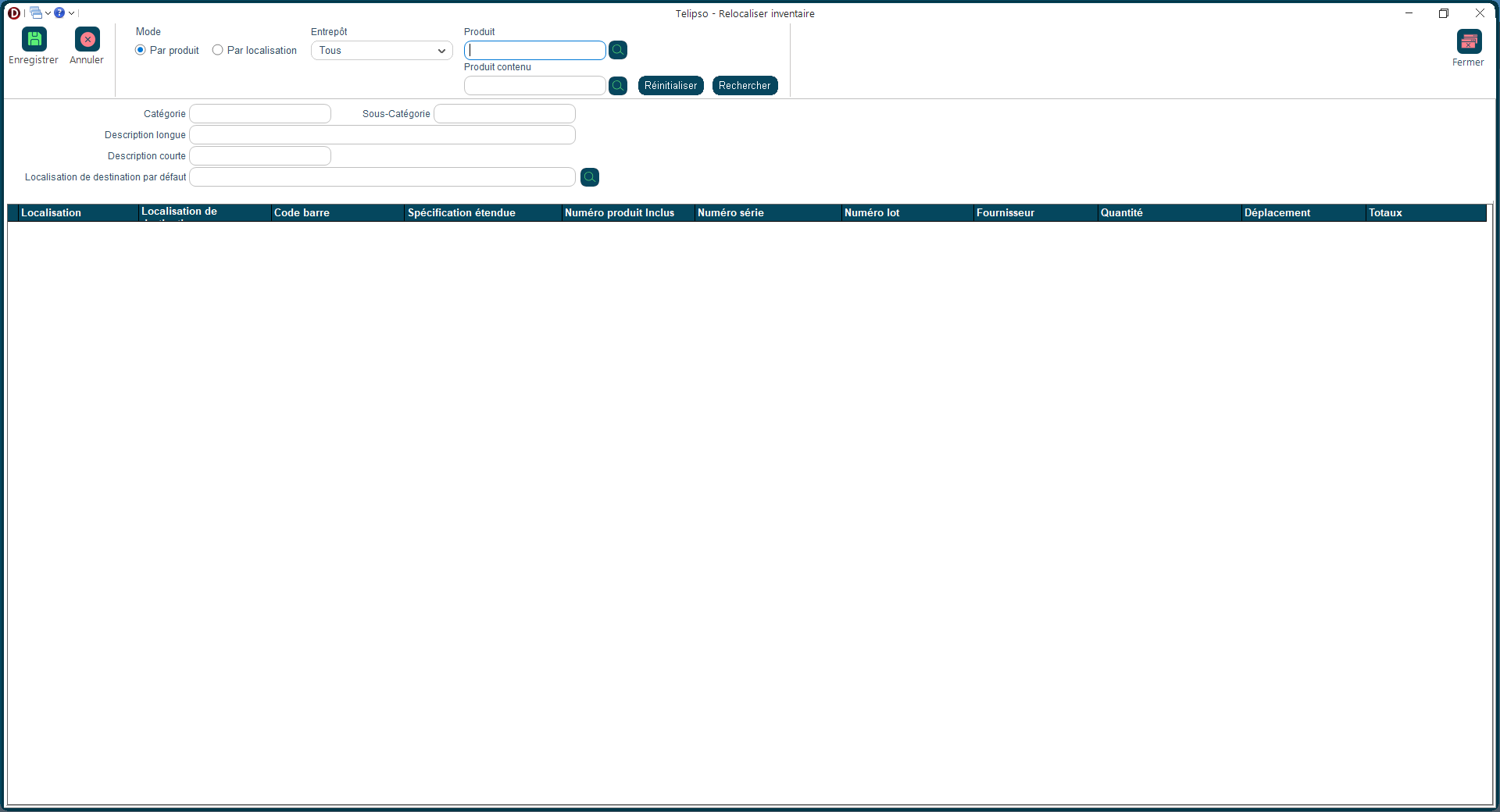
Vous déplacez des articles d'un endroit à un autre dans votre entrepôt ? Enregistrez ce transfert ici pour que le système sache toujours où se trouvent vos produits.

<div class="badges"><span class="badge">Inventaire</span><span class="badge">Entrepôt</span></div></div><div class="sec">## Comment y accéder ?

Menu <kbd>Inventaire</kbd> → <kbd>Relocalisation</kbd>.

</div><div class="sec">## Les informations à remplir

<table><thead><tr><th>Champ</th><th>À quoi ça sert ?</th><th>Obligatoire ?</th></tr></thead><tbody><tr><td>**Produit**</td><td>L'article à déplacer</td><td>Oui</td></tr><tr><td>**Emplacement de départ**</td><td>D'où vous prenez l'article</td><td>Oui</td></tr><tr><td>**Emplacement d'arrivée**</td><td>Où vous le rangez</td><td>Oui</td></tr><tr><td>**Quantité**</td><td>Combien d'unités vous déplacez</td><td>Oui</td></tr></tbody></table>

</div><div class="sec">## Comment faire ?

1. Choisissez le produit à déplacer.
2. Indiquez l'emplacement de départ.
3. Indiquez l'emplacement d'arrivée.
4. Entrez la quantité et enregistrez.

</div><div class="sec">## Aperçu de l'écran

<div class="swiper fd-swiper" id="fdcar1"><div class="swiper-wrapper"><div class="swiper-slide">![Relocaliser inventaire](https://docs.fonxtio.com/uploads/images/gallery/2026-04/relocaliser-inventaire.png)</div></div></div><script>new Swiper('#fdcar1',{pagination:{el:'#fdcar1 .swiper-pagination',clickable:true},navigation:{nextEl:'#fdcar1 .swiper-button-next',prevEl:'#fdcar1 .swiper-button-prev'}});</script></div></div>

# Modifier pni

<style id="bkmrk-%3Aroot%7B--ink%3A%2316324f%3B">:root{--ink:#16324f;--brand:#0f5b66;--brand2:#1b7f8f;--panel:#fff;--line:#d9e2ea;--muted:#58687a;--ok:#e7f4ec;--warn:#fff1df;--note:#e8f1fb;}.fd{color:var(--ink);font-family:'Aptos','Segoe UI',sans-serif;line-height:1.7;max-width:960px;margin:0 auto;padding:0 0 48px}.fd .hero{background:linear-gradient(145deg,var(--ink) 0%,var(--brand) 55%,var(--brand2) 100%);color:#fff;padding:36px 40px;border-radius:20px;box-shadow:0 16px 40px rgba(17,54,78,.18);margin-bottom:24px}.fd .eyebrow{display:inline-block;padding:5px 12px;border:1px solid rgba(255,255,255,.3);border-radius:999px;font-size:11px;letter-spacing:.1em;text-transform:uppercase;background:rgba(255,255,255,.1);margin-bottom:14px}.fd h1{font-family:Georgia,serif;font-size:30px;line-height:1.15;margin:0 0 10px}.fd .hero p{margin:0;font-size:15px;color:rgba(255,255,255,.88)}.fd .badges{display:flex;flex-wrap:wrap;gap:8px;margin-top:16px}.fd .badge{padding:5px 11px;border:1px solid rgba(255,255,255,.25);border-radius:999px;font-size:12px;background:rgba(255,255,255,.1)}.fd .sec{background:var(--panel);border:1px solid var(--line);border-radius:16px;padding:20px 24px;margin-bottom:16px;box-shadow:0 4px 14px rgba(19,46,66,.05)}.fd h2{font-family:Georgia,serif;font-size:19px;color:var(--ink);margin:0 0 12px;padding-bottom:8px;border-bottom:2px solid var(--line)}.fd p{margin:0 0 10px}.fd .lead{font-size:15px;color:var(--muted)}.fd table{width:100%;border-collapse:separate;border-spacing:0;border:1px solid var(--line);border-radius:12px;overflow:hidden;margin:10px 0}.fd th{background:linear-gradient(180deg,#153b58,#1c5671);color:#fff;padding:11px 14px;font-size:12px;text-transform:uppercase;text-align:left}.fd td{padding:11px 14px;border-top:1px solid var(--line);font-size:14px;vertical-align:top}.fd tr:nth-child(even) td{background:#fbfdfe}.fd ol.wf{margin:0;padding:0;list-style:none;counter-reset:s}.fd ol.wf li{counter-increment:s;position:relative;padding:4px 0 12px 46px}.fd ol.wf li::before{content:counter(s);position:absolute;left:0;top:2px;width:30px;height:30px;border-radius:9px;background:linear-gradient(145deg,var(--ink),var(--brand2));color:#fff;font-weight:700;font-size:13px;display:flex;align-items:center;justify-content:center;line-height:30px;text-align:center}.fd .callout{border-radius:12px;padding:13px 16px;border:1px solid transparent;margin-bottom:10px}.fd .callout strong{display:block;margin-bottom:4px;font-size:14px}.fd .callout p{margin:0;font-size:14px}.fd .tip{background:var(--ok);border-color:#b9dac4}.fd .warning{background:var(--warn);border-color:#efc98f}.fd .note{background:var(--note);border-color:#c4d5f2}.fd .shot{border:2px dashed #9fb4c2;border-radius:16px;padding:36px 20px;background:repeating-linear-gradient(-45deg,#f5f8fa,#f5f8fa 14px,#edf3f6 14px,#edf3f6 28px);text-align:center;color:#496174}.fd .shot strong{display:block;font-size:14px;margin-bottom:6px;color:var(--ink)}.fd kbd{padding:3px 7px;border-radius:6px;background:#f1f5f8;border:1px solid #c9d7e0;font-size:12px;font-family:Consolas,monospace;color:#24425c}</style></head><body><div class="fd" id="bkmrk-fonxtio-%E2%80%94-inventaire"><div class="hero"><div class="eyebrow">Fonxtio — Inventaire</div># Emplacements d'un produit

Gérez les emplacements physiques où un produit est rangé dans votre entrepôt, et la quantité disponible à chaque endroit.

<div class="badges"><span class="badge">Inventaire</span><span class="badge">Gestion de l'inventaire</span></div></div><div class="sec">## Comment y accéder ?

Fiche produit → onglet <kbd>Localisations</kbd>.

</div><div class="sec">## Comment faire ?

1. Ouvrez la fiche du produit.
2. Cliquez sur l'onglet <kbd>Localisations</kbd>.
3. Associez un ou plusieurs emplacements à ce produit.
4. Enregistrez.

</div><div class="sec">## Aperçu de l'écran

<div class="swiper fd-swiper" id="fdcar1"><div class="swiper-wrapper"><div class="swiper-slide">![Modifier pni](https://docs.fonxtio.com/uploads/images/gallery/2026-04/modifier-pni.png)</div></div></div><script>new Swiper('#fdcar1',{pagination:{el:'#fdcar1 .swiper-pagination',clickable:true},navigation:{nextEl:'#fdcar1 .swiper-button-next',prevEl:'#fdcar1 .swiper-button-prev'}});</script></div></div>

# Localisation réception

<style id="bkmrk-%3Aroot%7B--ink%3A%2316324f%3B">:root{--ink:#16324f;--brand:#0f5b66;--brand2:#1b7f8f;--panel:#fff;--line:#d9e2ea;--muted:#58687a;--ok:#e7f4ec;--warn:#fff1df;--note:#e8f1fb;}.fd{color:var(--ink);font-family:'Aptos','Segoe UI',sans-serif;line-height:1.7;max-width:960px;margin:0 auto;padding:0 0 48px}.fd .hero{background:linear-gradient(145deg,var(--ink) 0%,var(--brand) 55%,var(--brand2) 100%);color:#fff;padding:36px 40px;border-radius:20px;box-shadow:0 16px 40px rgba(17,54,78,.18);margin-bottom:24px}.fd .eyebrow{display:inline-block;padding:5px 12px;border:1px solid rgba(255,255,255,.3);border-radius:999px;font-size:11px;letter-spacing:.1em;text-transform:uppercase;background:rgba(255,255,255,.1);margin-bottom:14px}.fd h1{font-family:Georgia,serif;font-size:30px;line-height:1.15;margin:0 0 10px}.fd .hero p{margin:0;font-size:15px;color:rgba(255,255,255,.88)}.fd .badges{display:flex;flex-wrap:wrap;gap:8px;margin-top:16px}.fd .badge{padding:5px 11px;border:1px solid rgba(255,255,255,.25);border-radius:999px;font-size:12px;background:rgba(255,255,255,.1)}.fd .sec{background:var(--panel);border:1px solid var(--line);border-radius:16px;padding:20px 24px;margin-bottom:16px;box-shadow:0 4px 14px rgba(19,46,66,.05)}.fd h2{font-family:Georgia,serif;font-size:19px;color:var(--ink);margin:0 0 12px;padding-bottom:8px;border-bottom:2px solid var(--line)}.fd p{margin:0 0 10px}.fd .lead{font-size:15px;color:var(--muted)}.fd table{width:100%;border-collapse:separate;border-spacing:0;border:1px solid var(--line);border-radius:12px;overflow:hidden;margin:10px 0}.fd th{background:linear-gradient(180deg,#153b58,#1c5671);color:#fff;padding:11px 14px;font-size:12px;text-transform:uppercase;text-align:left}.fd td{padding:11px 14px;border-top:1px solid var(--line);font-size:14px;vertical-align:top}.fd tr:nth-child(even) td{background:#fbfdfe}.fd ol.wf{margin:0;padding:0;list-style:none;counter-reset:s}.fd ol.wf li{counter-increment:s;position:relative;padding:4px 0 12px 46px}.fd ol.wf li::before{content:counter(s);position:absolute;left:0;top:2px;width:30px;height:30px;border-radius:9px;background:linear-gradient(145deg,var(--ink),var(--brand2));color:#fff;font-weight:700;font-size:13px;line-height:30px;text-align:center}.fd .callout{border-radius:12px;padding:13px 16px;border:1px solid transparent;margin-bottom:10px}.fd .callout strong{display:block;margin-bottom:4px;font-size:14px}.fd .callout p{margin:0;font-size:14px}.fd .tip{background:var(--ok);border-color:#b9dac4}.fd .warning{background:var(--warn);border-color:#efc98f}.fd .note{background:var(--note);border-color:#c4d5f2}.fd .shot{border:2px dashed #9fb4c2;border-radius:16px;padding:36px 20px;background:repeating-linear-gradient(-45deg,#f5f8fa,#f5f8fa 14px,#edf3f6 14px,#edf3f6 28px);text-align:center;color:#496174}.fd .shot strong{display:block;font-size:14px;margin-bottom:6px;color:var(--ink)}.fd kbd{padding:3px 7px;border-radius:6px;background:#f1f5f8;border:1px solid #c9d7e0;font-size:12px;font-family:Consolas,monospace;color:#24425c}</style></head><body><div class="fd" id="bkmrk-fonxtio-%E2%80%94-inventaire"><div class="hero"><div class="eyebrow">Fonxtio — Inventaire</div># Choisir l'emplacement à la réception

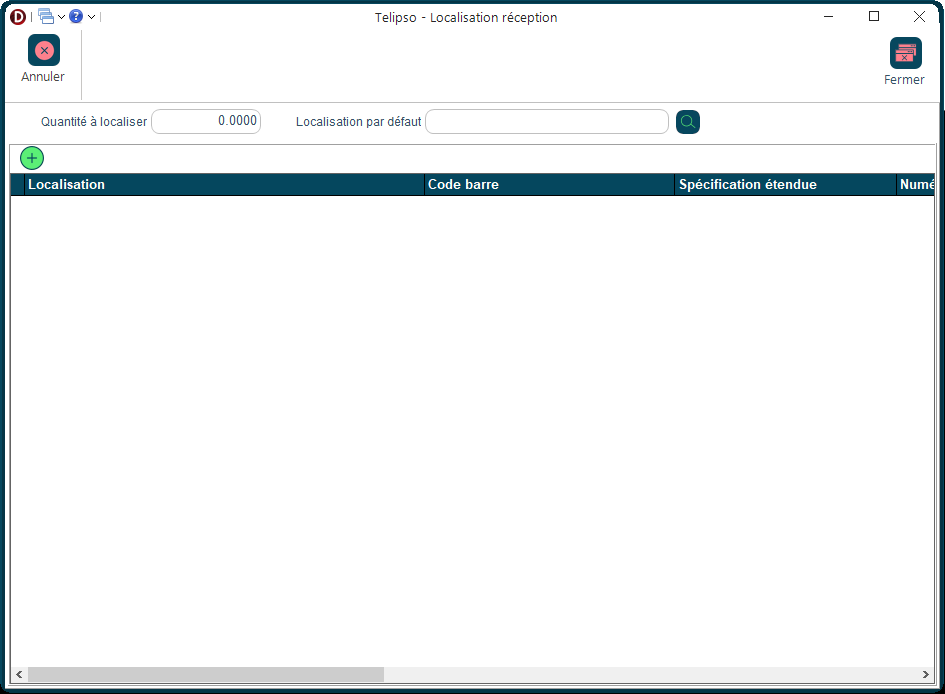
Lors de la réception d'une commande fournisseur, cet écran vous demande où ranger les articles reçus dans votre entrepôt.

<div class="badges"><span class="badge">Inventaire</span><span class="badge">Réception</span></div></div><div class="sec">## Comment y accéder ?

S'ouvre automatiquement lors d'une réception si votre entrepôt utilise la gestion par emplacements.

</div><div class="sec">## Comment faire ?

1. L'écran s'ouvre automatiquement pendant la réception.
2. Pour chaque article, choisissez l'emplacement de rangement dans la liste.
3. Confirmez — Fonxtio enregistre la quantité à cet emplacement.

</div><div class="sec">## Aperçu de l'écran

<div class="swiper fd-swiper" id="fdcar1"><div class="swiper-wrapper"><div class="swiper-slide">![Localisation réception](https://docs.fonxtio.com/uploads/images/gallery/2026-04/localisation-reception.png)</div></div></div><script>new Swiper('#fdcar1',{pagination:{el:'#fdcar1 .swiper-pagination',clickable:true},navigation:{nextEl:'#fdcar1 .swiper-button-next',prevEl:'#fdcar1 .swiper-button-prev'}});</script></div><div class="sec"><div class="callout tip">**💡 Bon à savoir**Si vous n'êtes pas sûr de l'emplacement, choisissez la zone de réception temporaire et relocalisez plus tard.
</div></div></div>